AI Interior Design From a Photo of Your Room
HomeGlow is an AI interior design tool at homeglow.style that redesigns a photo of your real room in a style you choose, keeping the walls, windows and camera angle and changing only furniture, materials, colour and lighting. You can try it free on the web or in Telegram.
Last updated 26 October 2026
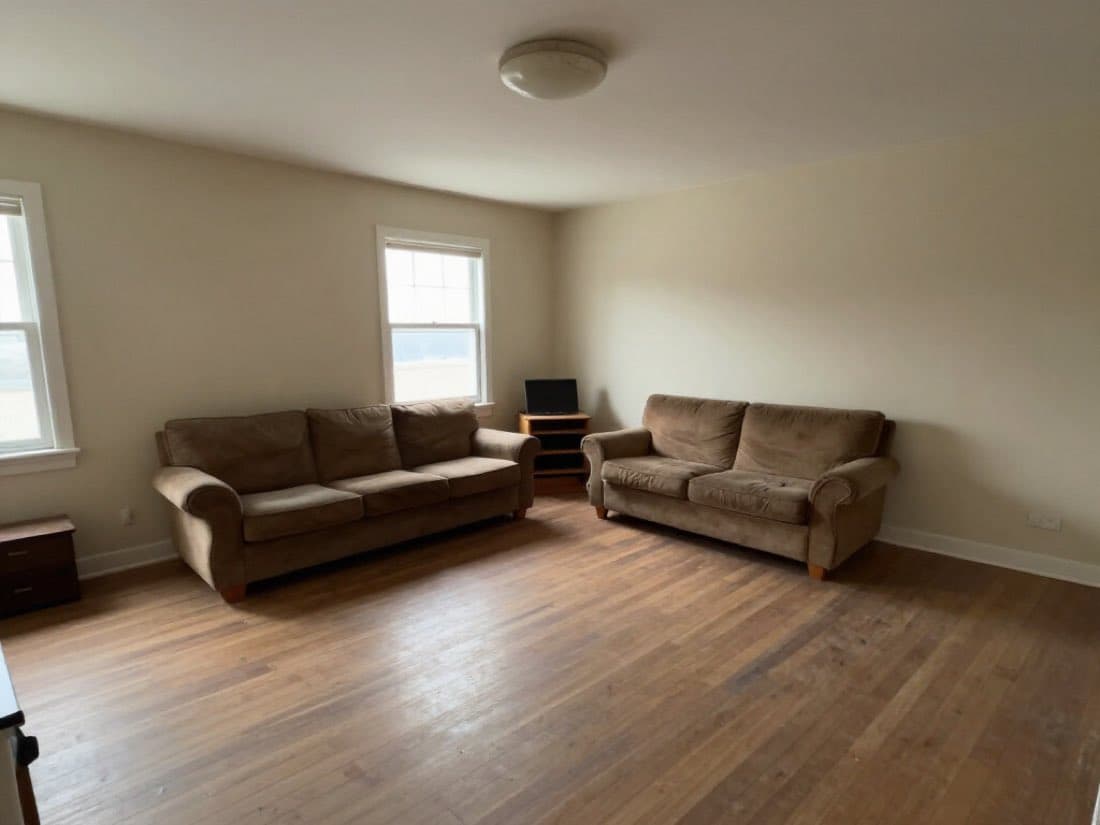
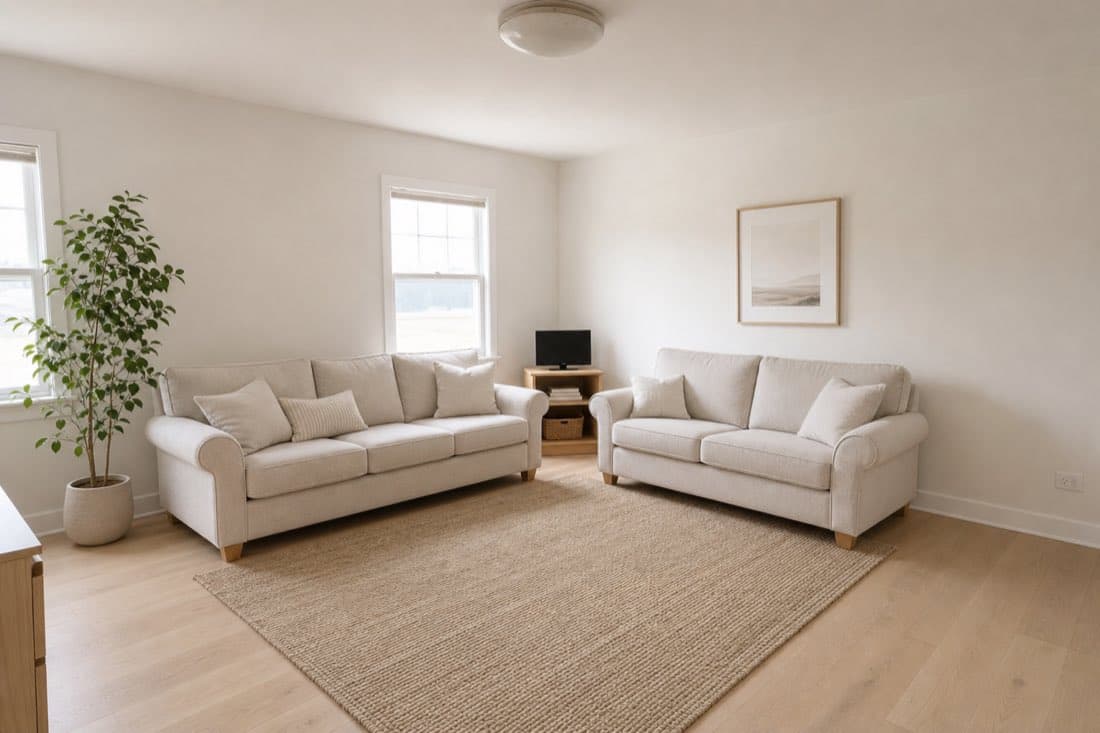
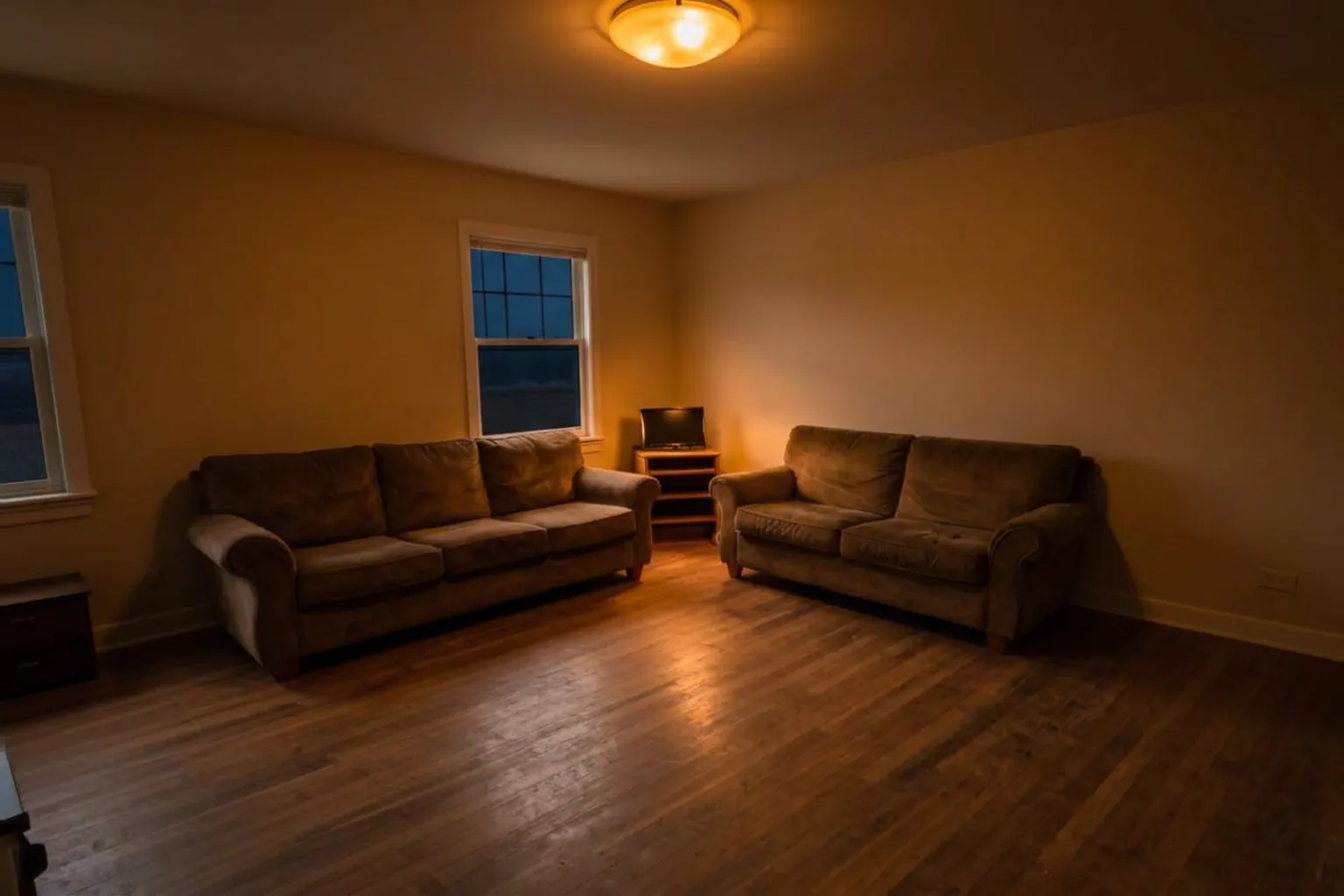
Living room, Scandinavian. Same walls, windows and camera angle; sofas, rug and decor are new.
How it works.
Add a photo of the room
Take one in daylight from a corner so the walls and windows are in frame. Upload it from your phone or computer.
Pick the room type and a style
Say what kind of room it is, then choose a style such as Japandi, boho or industrial. You can add a line of your own in the prompt step.
Look, then refine in plain words
Your redesign usually arrives in under 2 minutes. Not quite right? PRO lets you type what to change, for example "make the sofa emerald velvet". Refining uses a credit, which the free tier does not include after its one generation.
Which tool for which job.
Every page in this guide, one line each. Pick the one that matches the job in front of you.
- Free to tryExactly what is free, what is watermarked and what PRO adds.
- How to redesign your roomA step-by-step guide: photo tips, choosing a style and refining.
- AI living room designSee your living room in Japandi, boho, mid-century and more.
- AI bedroom designPreview a new style, bedding or wall colour in your own bedroom.
- Small spacesProblem-first ideas for small rooms, previewed on your photo.
- Exterior designPreview a new facade, colour and entryway on a photo of your house.
- Curb appealDoor colours, planting, lighting and facade ideas on your own house.
- Landscape designPreview garden styles, planting and paths on a photo of your yard.
- Adjust lightingRelight a room photo: warm lamplight, daylight, golden hour and more.
- ColorwaysOne room photo, ten colour palettes, side by side.
- Style from photoApply the look of an inspiration photo to your own room.
It keeps your room, and changes the design.
Most AI room generators invent a new room that happens to match your brief. HomeGlow starts from your photo and keeps what makes the room yours: where the windows are, how the walls meet, the angle you shot from. Compare the windows and wall corners in each pair.
Living room, Scandinavian. Same walls, windows and camera angle; sofas, rug and decor are new.
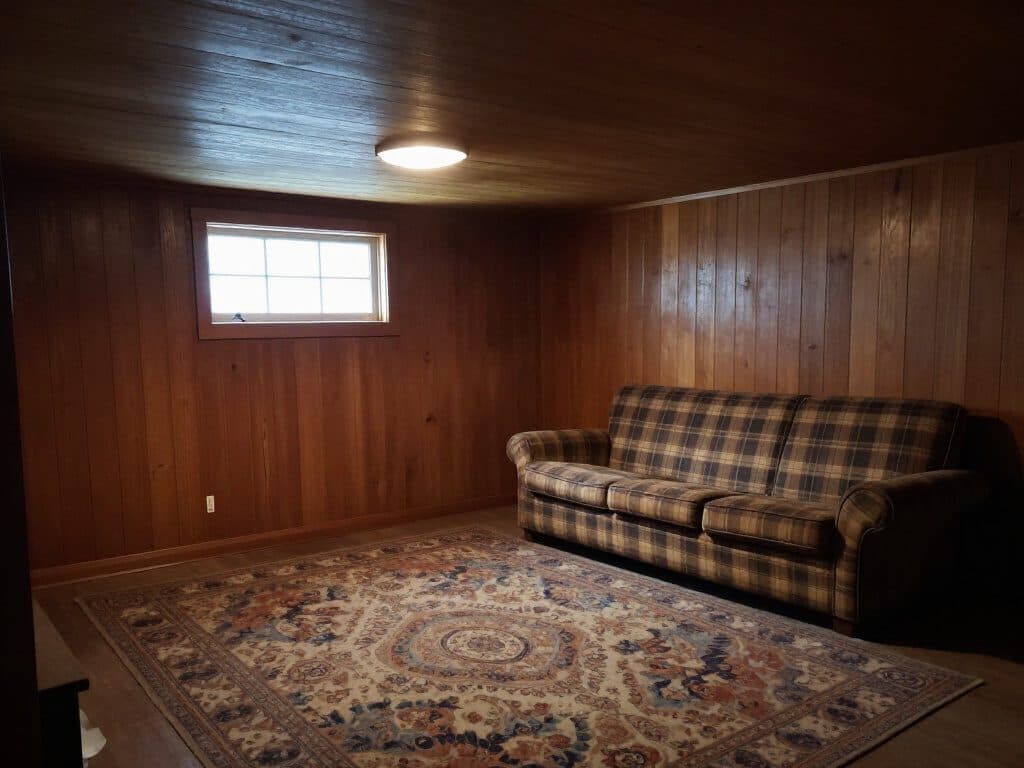
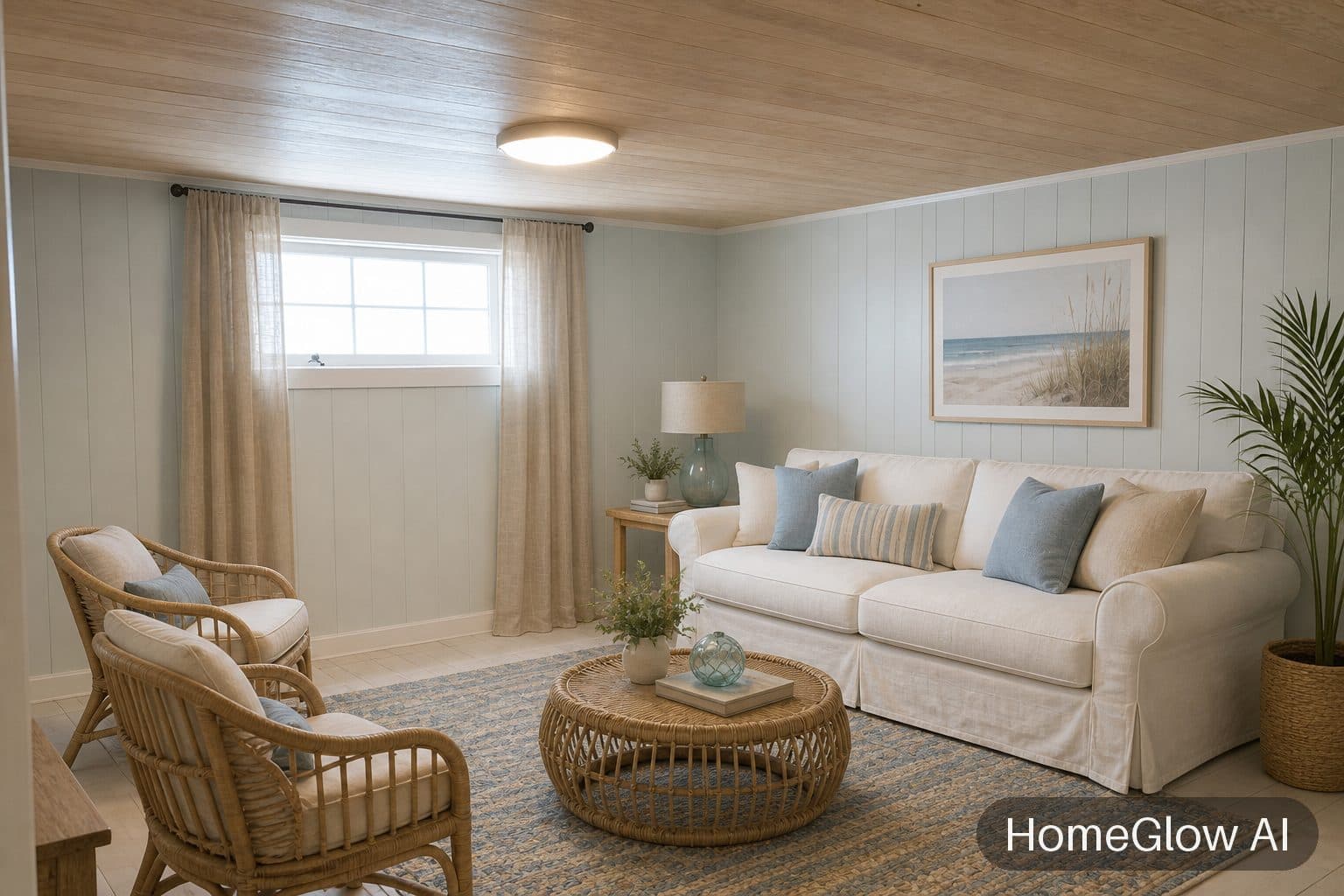
Living room, coastal. Dark panelling becomes a light, airy room without moving a window. See this design
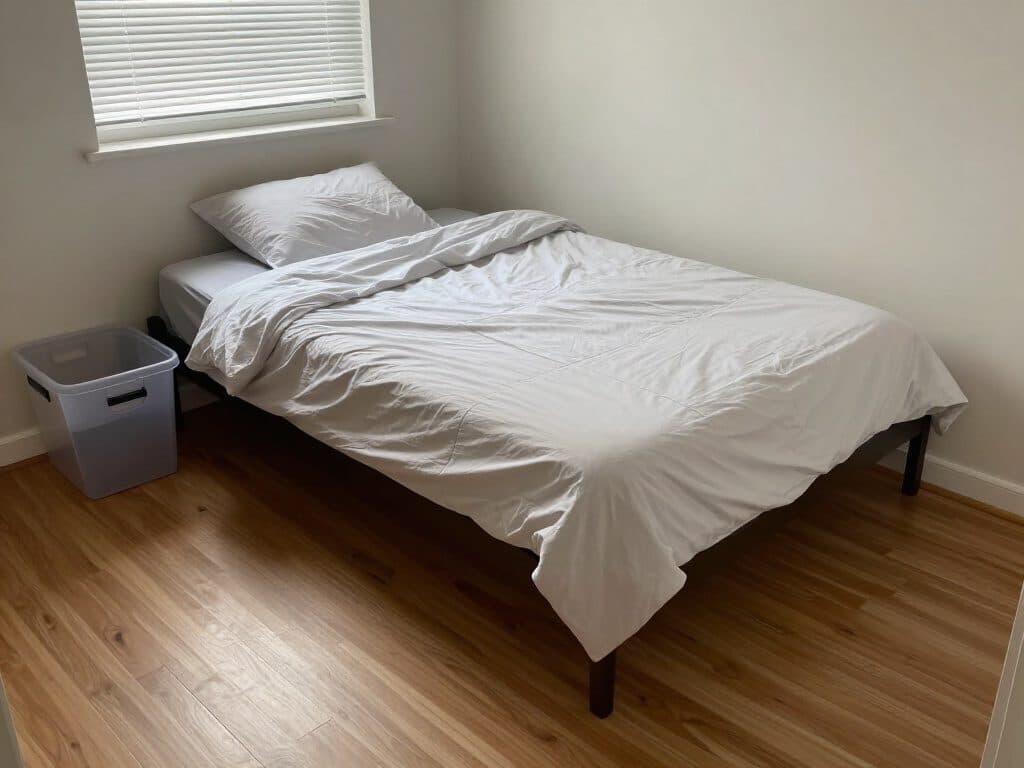
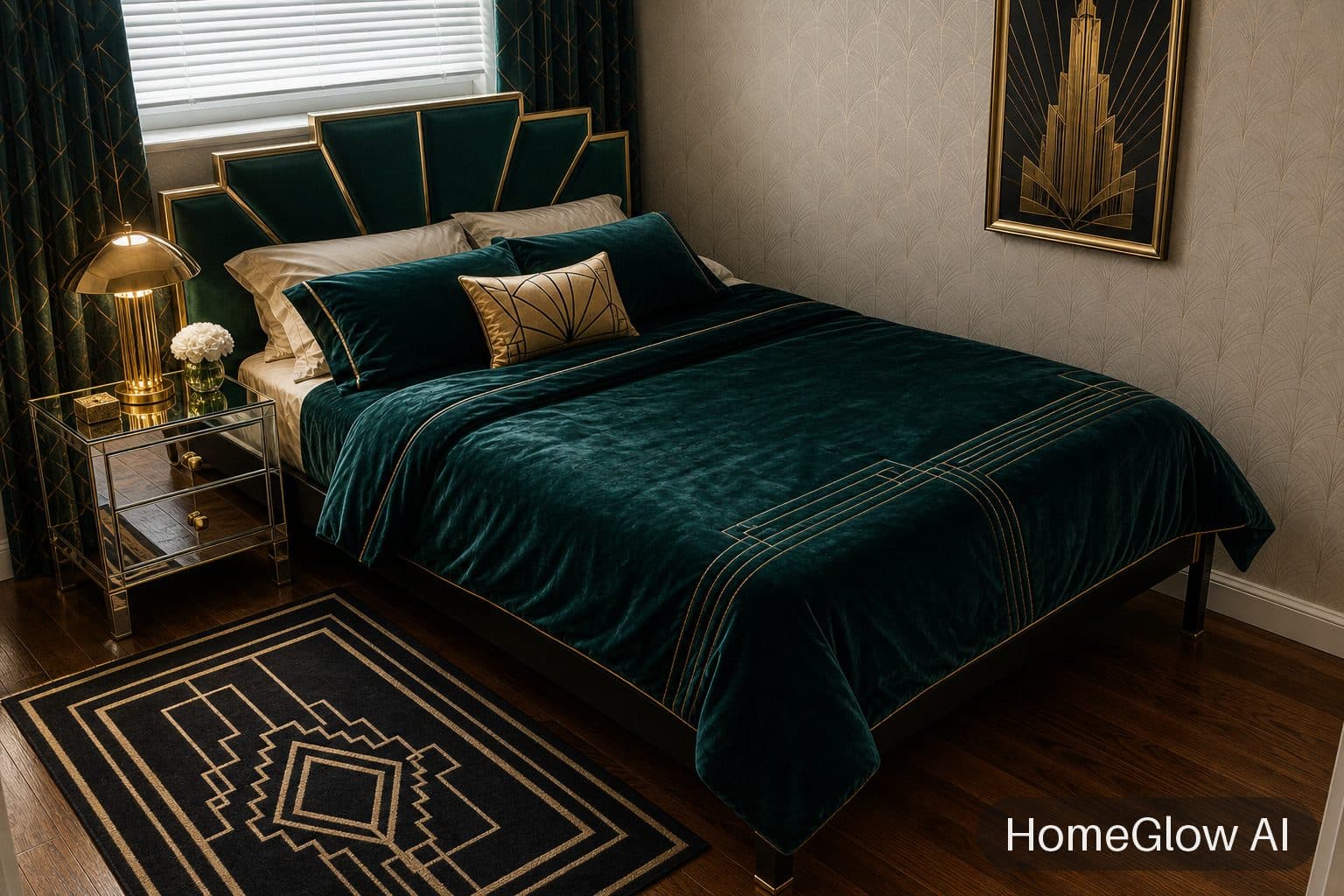
Bedroom, art deco. The bed stays where it is; the headboard wall, bedding and lamps change. See this design
Refine it in plain language (PRO).
On PRO you can talk to a result once you have it; refining uses a credit, so it is not part of the free generation. These are the kinds of instructions people type, not guaranteed outcomes:
Change one piece
"Make the sofa emerald velvet."
Change the mood
"Warmer, more like an evening in autumn."
Take something out
"Lose the rug and leave the floorboards bare."
Add something
"A tall plant in the corner by the window."
Same photo, a very different style.
An industrial version of a plain living room shows how far a style can travel while the room itself stays put.
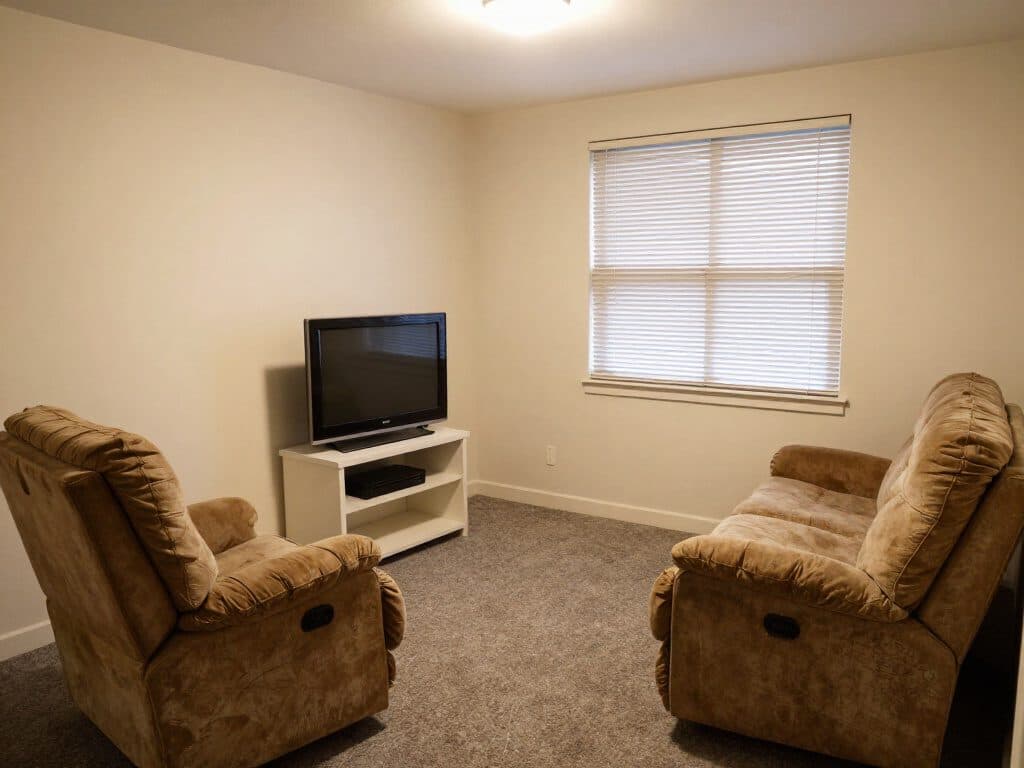
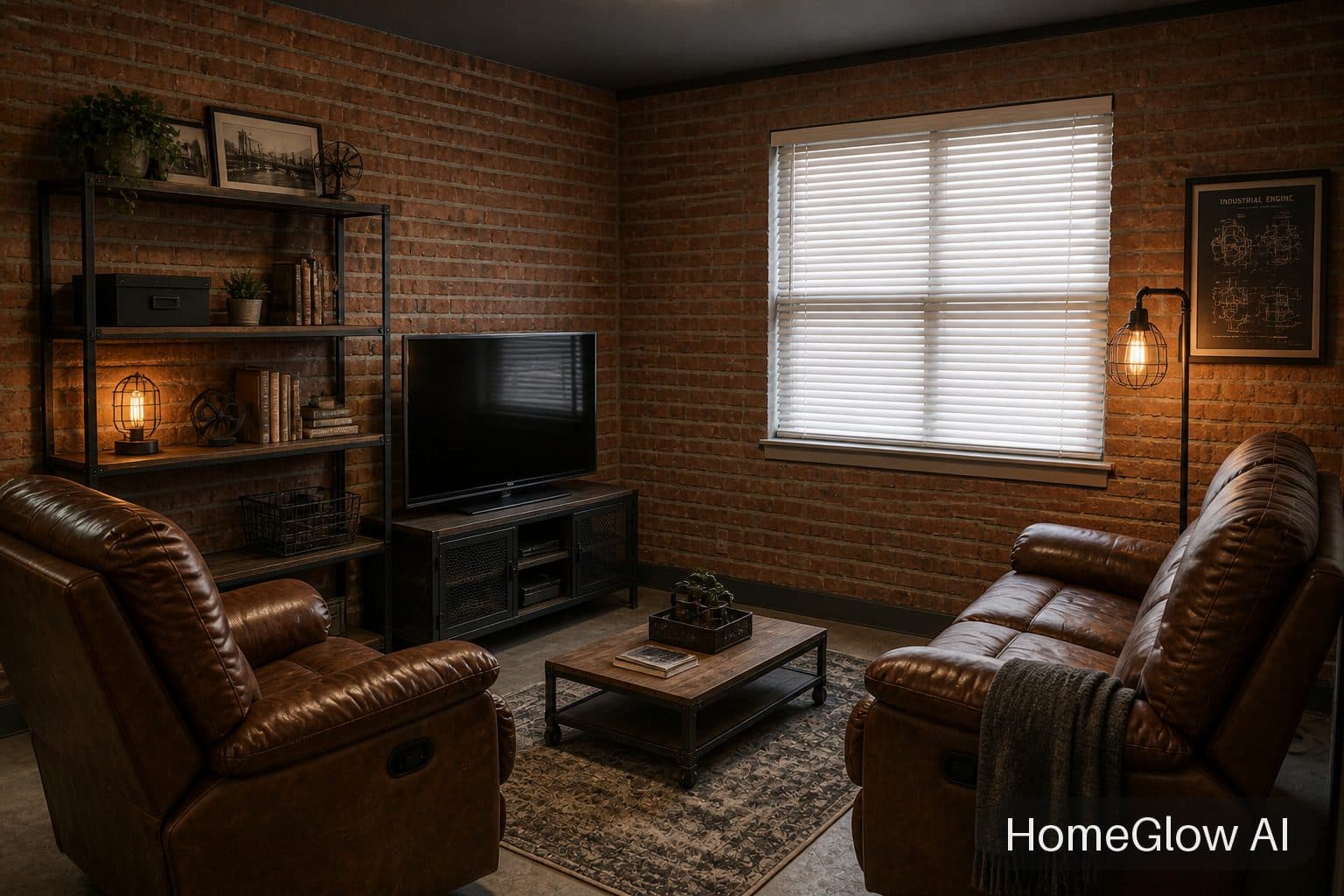
Living room, industrial. Same window and furniture positions, a completely different mood. See this design
Free and PRO, plainly.
Prices live on the pricing page so they never drift out of date. Free is one watermarked generation; PRO adds credits every week.
| Feature | Free | PRO |
|---|---|---|
| Try it on your own room | Yes, no card needed to start | Yes |
| Watermark on results | Yes | No |
| Ongoing weekly credits | No (one-time generation) | Yes |
| Styles and most tools | Yes, for your one generation | Yes |
| Colorways and refining a result | No (PRO) | Yes |
What it will not do.
- Results are AI-generated concept images. They are not structurally accurate, to scale or code-checked, and they do not replace an architect, structural engineer or contractor.
- It restyles what is in the photo. It cannot move walls, resize a room or tell you whether a sofa fits.
- Free results carry a visible watermark (the free tier is 1 free watermarked generation); watermark-free results are part of PRO (see the pricing page).
Questions.
Is there a free AI interior design tool?
Yes. HomeGlow is free to try on your own room: 1 free watermarked generation, one-time, and no card needed to start. The pricing page has the current details.
Can AI redesign my actual room from a photo?
Yes. HomeGlow works from your photo and keeps the walls, windows and camera angle, changing the furniture, materials, colour and lighting.
How long does it take?
A redesign usually arrives in under 2 minutes.
Does it change my walls and windows?
No. The structure in your photo stays where it is. If you want a different wall colour, say so and only the colour changes.
Can I use the images commercially?
HomeGlow's terms say you may use the images you generate for personal and commercial purposes, subject to the terms and the law. Read the terms for the detail.
Do I need to download an app?
No. HomeGlow runs in your web browser and as a Telegram Mini App. An iPhone app is in preparation.
More from this guide.
Plans and allowances are on the pricing page. Questions? Write to us.
See your own room first.
Free to try on a photo of your room. No card needed to start.
Try it on your room