AI Landscape Design From a Photo of Your Yard
HomeGlow's Landscape design tool turns a photo of your yard into a redesigned concept with new planting, paths and patio styles; it does not select plants for your climate or produce surveyed plans. Free to try on the web or in Telegram.
Last updated 26 October 2026
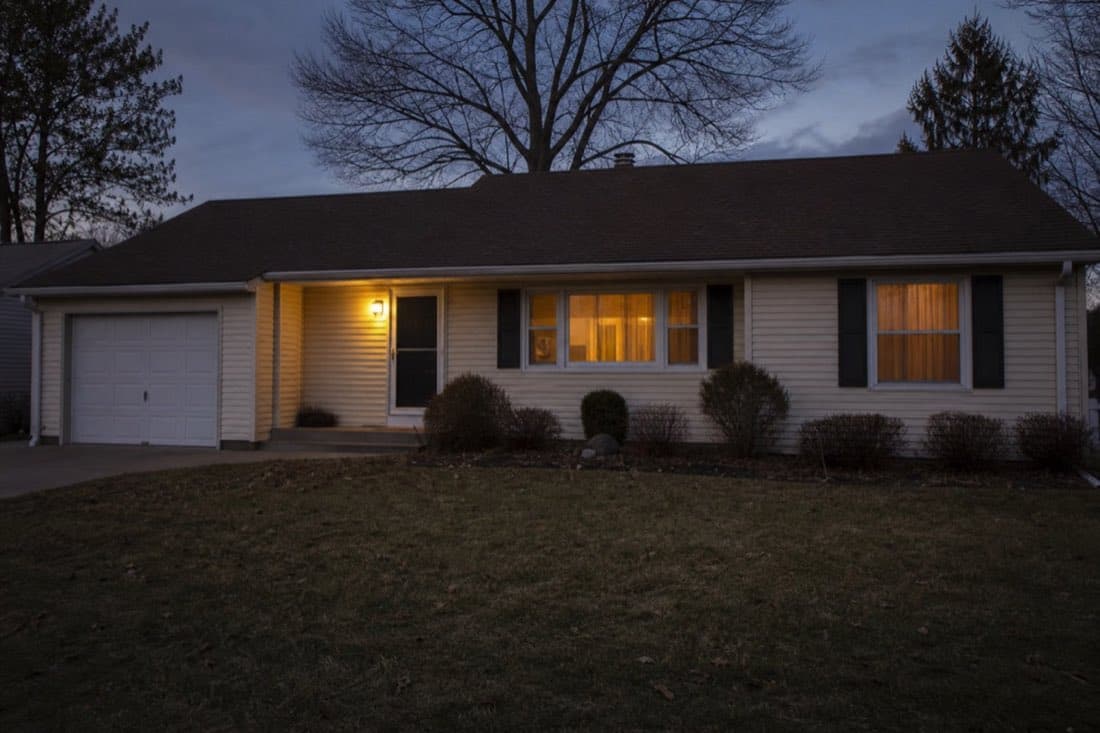
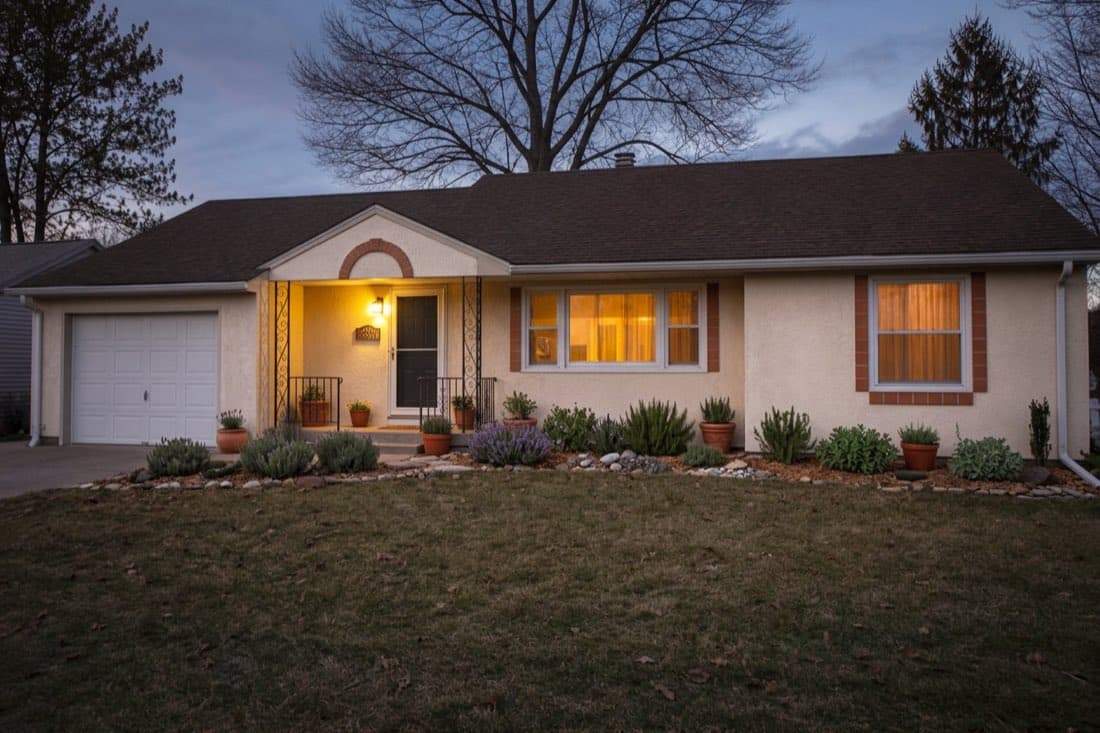
Front yard, planting added. A front yard before and after: new planting beds line the front of the house. This pair comes from a house redesign rather than the Landscape tool itself, and it shows what planting changes.
How it works.
Add a photo of your yard or garden
Upload one clear photo. Straight-on and in daylight gives the cleanest result.
Choose a garden style
Pick from the styles in the tool, and add a line of your own in the prompt step if you want something specific.
Review and refine
Results usually arrive in under 2 minutes. On PRO you can describe a change in plain language to adjust them.
A real Landscape design result.
A backyard restyled as a zen garden, with raked gravel, moss-covered rocks and bamboo.
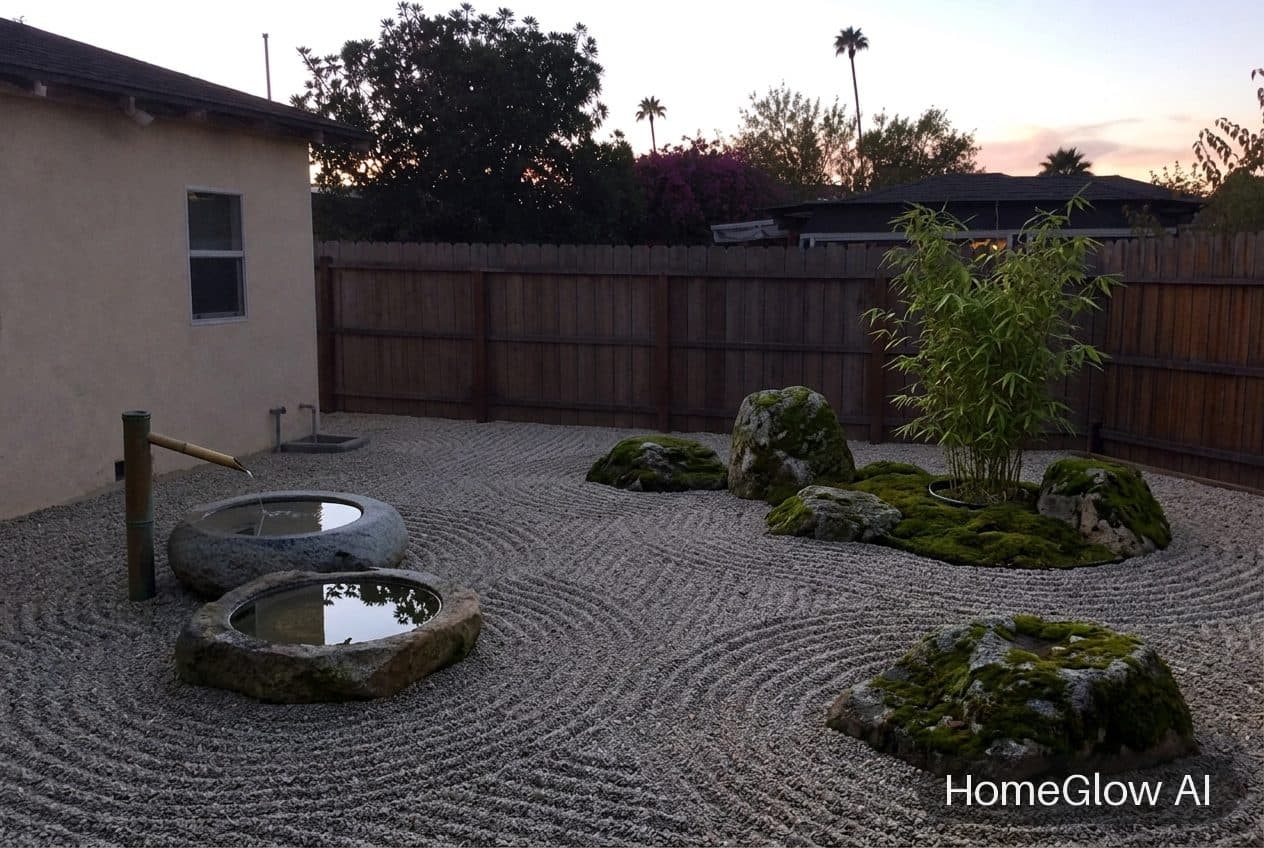
A finished Landscape design render (the original photo is not shown). It carries the free-tier watermark.
Fifteen garden styles.
The tool's styles cover very different climates and effort levels:
Soft and planted
English garden, cottage, native meadow, woodland naturalistic.
Clean and structured
Modern minimal, contemporary hardscape, formal French parterre.
Dry and sunny
Desert xeriscape, Mediterranean, coastal dune.
Calm and compact
Zen garden, Moroccan courtyard, alpine rock garden.
Productive and lush
Potager kitchen garden, tropical.
Front yard or backyard.
Front yard
Mostly about how the house is seen: borders, a path, lawn edges. Pair it with an exterior redesign to look at both together.
Backyard
Mostly about use: somewhere to sit, a route through, screening. Describe the zones you want in the prompt step.
Start with what the yard is for.
Decide the job first and the layout follows.
Entertaining
A flat area for a table, close to the house door, with lighting overhead or around the edge.
Relaxing
A corner with screening and planting on two sides. Small and enclosed feels more restful than large and open.
Kids and pets
Keep a clear lawn or soft surface at the centre, and put planting at the edges.
Growing things
Beds or raised planters in the sunniest area, with a path to get to them.
Small backyard ideas.
Go vertical
Climbers on the fence and tall planters use height rather than floor space.
One surface
A single paving material from the door outward makes a small yard feel larger.
Curved or diagonal paths
They lengthen the sense of distance.
Light the edges
Low lighting around the border extends the yard after dark.
Concept ideas to try in the prompt step.
These are examples of what to ask for. Plant suitability depends on your climate and soil, so check a local source before planting anything.
Low maintenance
"Gravel path, ornamental grasses, no lawn."
Drought tolerant
A dry, gravelly style with sturdy planting.
Pollinator friendly
"Layered flowering borders with a mix of heights."
Somewhere to sit
"A small patio with seating in the corner."
A good yard photo.
Stand back
Show the whole area you want to change, including fences and the house wall.
Daylight
Even light shows the ground clearly. Dusk is fine; deep shade is harder.
Clear away the temporary
Hoses, bins and toys can end up in the result.
What it will not do.
- Results are AI-generated concept images. They are not structurally accurate, to scale or code-checked, and they do not replace an architect, structural engineer or contractor.
- HomeGlow does not pick plants for your hardiness zone, plan drainage, irrigation or levels, or draw to scale.
- It is not a surveying or drainage tool.
Browse real HomeGlow redesigns.
Questions.
Is there a free AI landscape design tool?
HomeGlow's Landscape design tool is free to try: 1 free watermarked generation, one-time. The pricing page has the current details.
Can AI redesign my yard from a photo?
Yes. Upload a photo, choose a garden style and optionally describe what you want. You get a redesigned concept of that yard.
Does it pick plants for my climate?
No. It shows how a planting style looks. Check a local nursery or extension service for what grows well where you live.
Can I preview a patio or firepit?
You can describe one in the prompt step. How closely the result follows varies, so check it and refine.
How do I design a low-maintenance garden?
Fewer plant types, gravel or mulch in place of lawn, and hardy planting. Try those as prompts on your photo to see the effect.
How do I design a small backyard?
Decide what it is for, use one paving material, add height with climbers and light the edges. Preview a couple of options on your photo.
What is the cheapest backyard makeover?
Usually planting, mulch, a tidy edge and lighting rather than hard landscaping. A preview helps you decide where to put the money.
Can I use it for a front yard?
Yes. A front yard is a good first try, since planting and paths change how the whole house looks.
More from this guide.
Plans and allowances are on the pricing page. Questions? Write to us.