AI Exterior Home Design: Give Your House a New Face
HomeGlow's Exterior design tool redesigns a photo of your house facade in a chosen style, so you can preview colours, siding and entryway looks before making changes. It creates concept images, not construction plans.
Last updated 26 October 2026
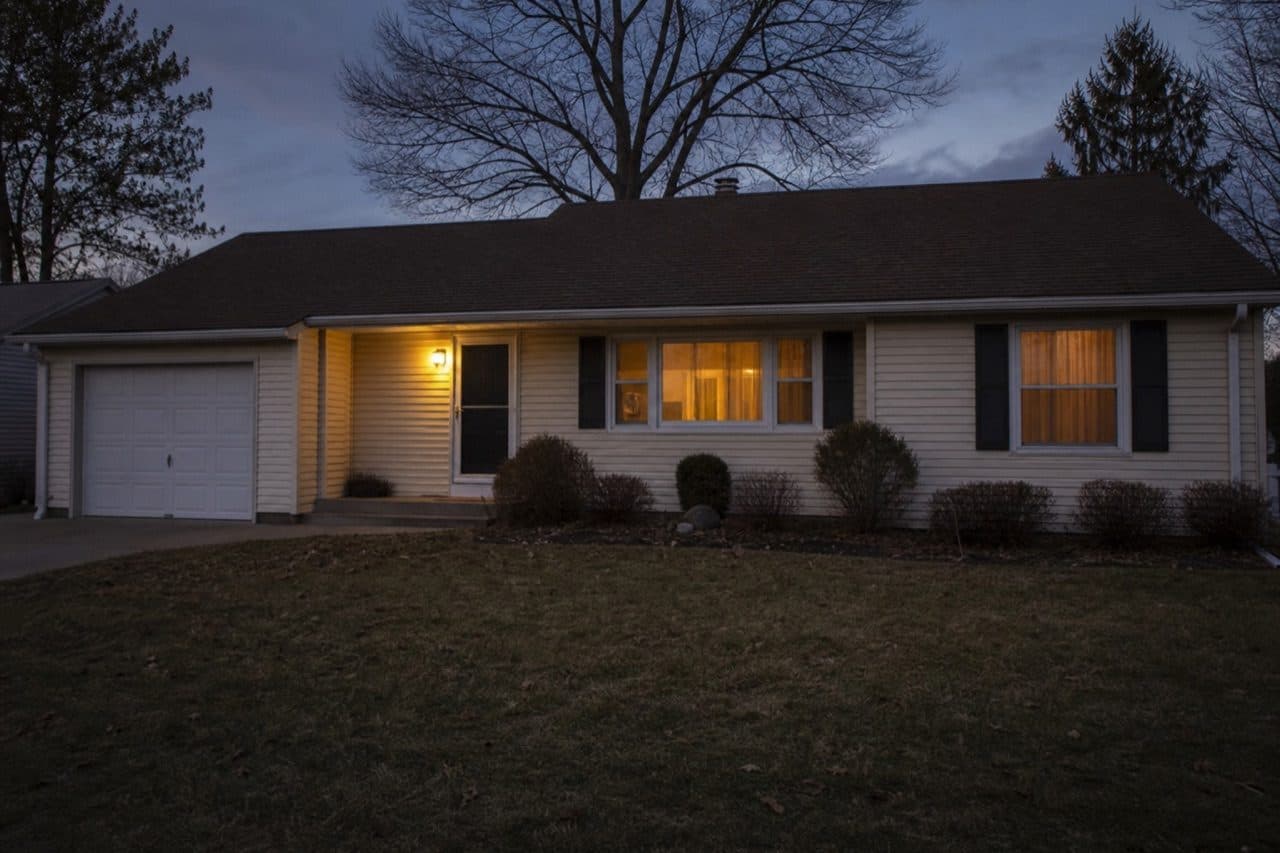
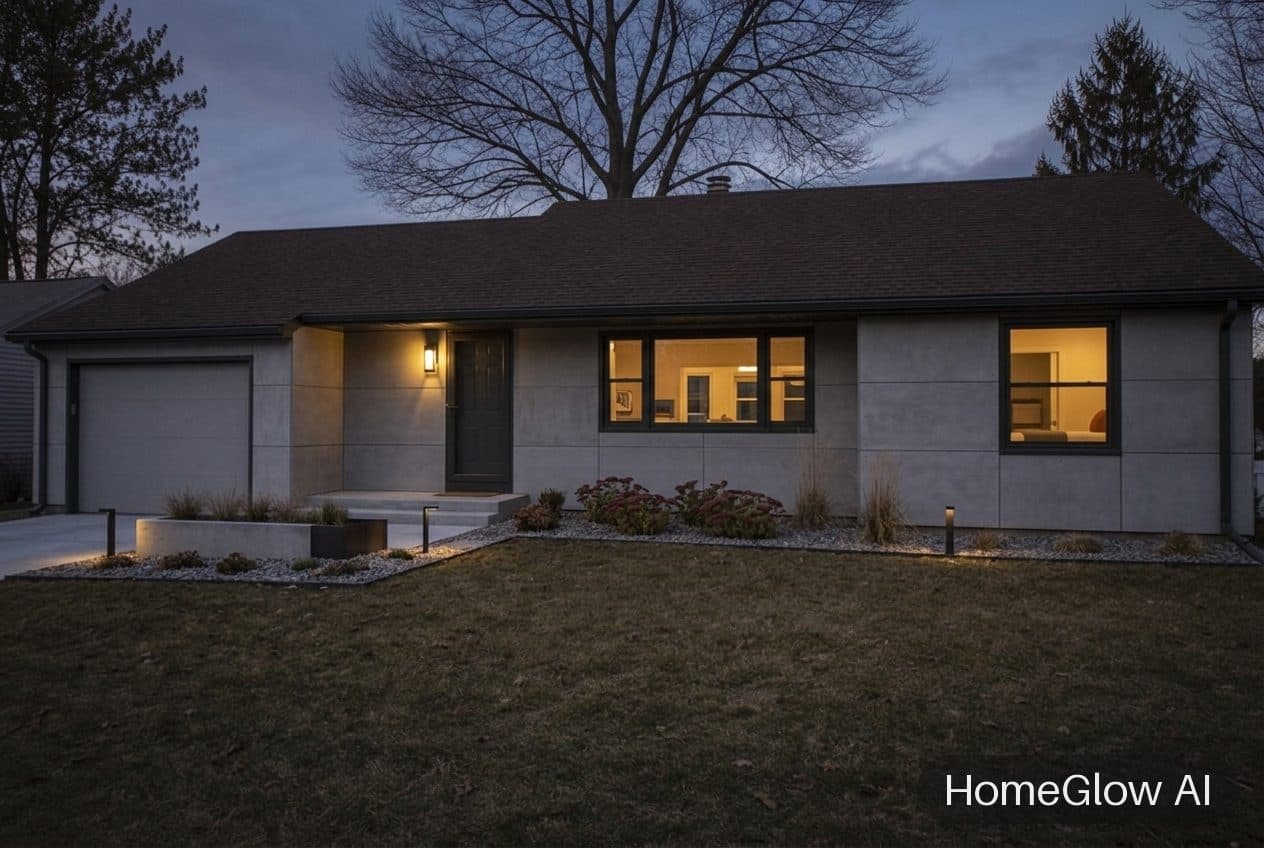
House exterior, modern. A modern facade on the same ranch-style house. See this design
How it works.
Add a photo of the front of your house
Upload one clear photo. Straight-on and in daylight gives the cleanest result.
Choose a facade style
Pick from the styles in the tool, and add a line of your own in the prompt step if you want something specific.
Review and refine
Results usually arrive in under 2 minutes. On PRO you can describe a change in plain language to adjust them.
The same house, a second facade.
The header image and this pair start from the same ranch-style house at dusk. The roofline, garage door, driveway and trees stay; the finish, entry and planting change.
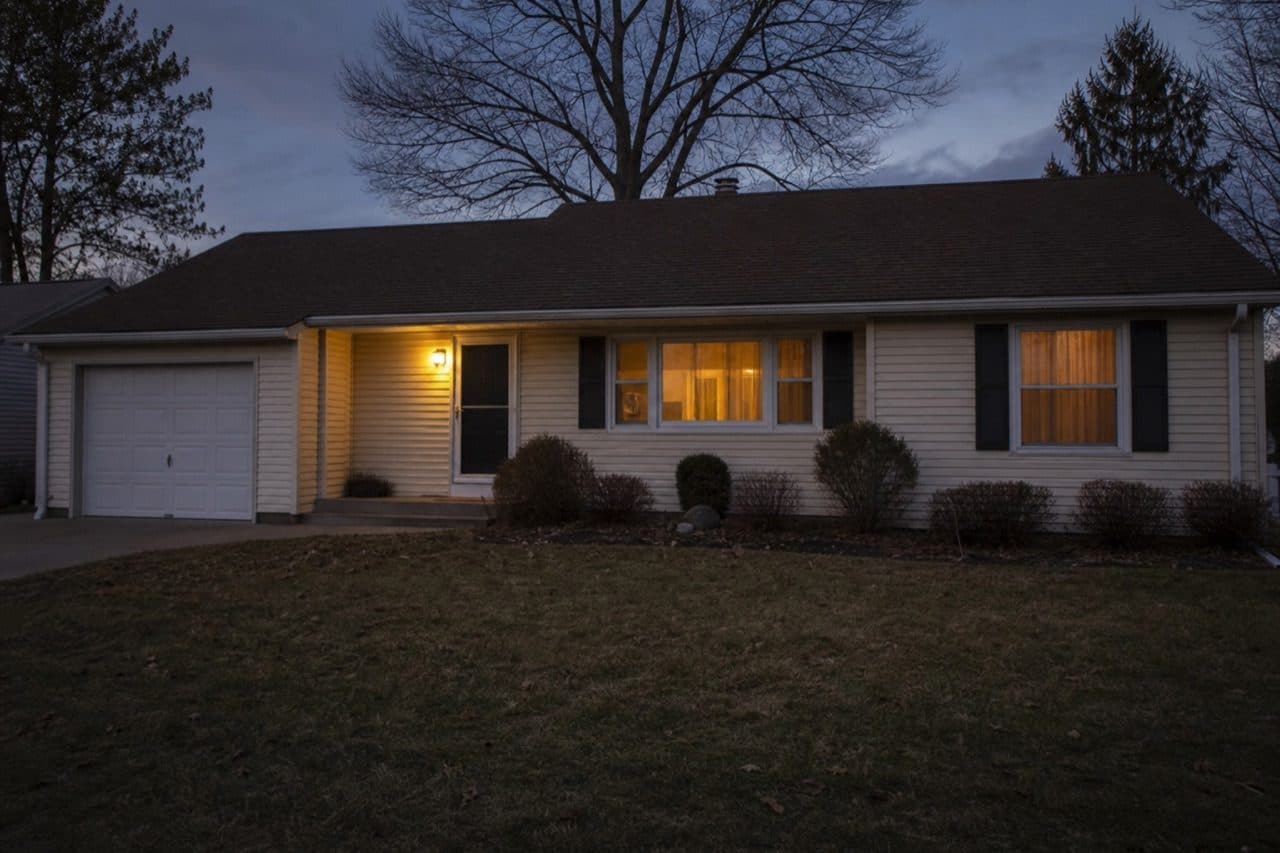
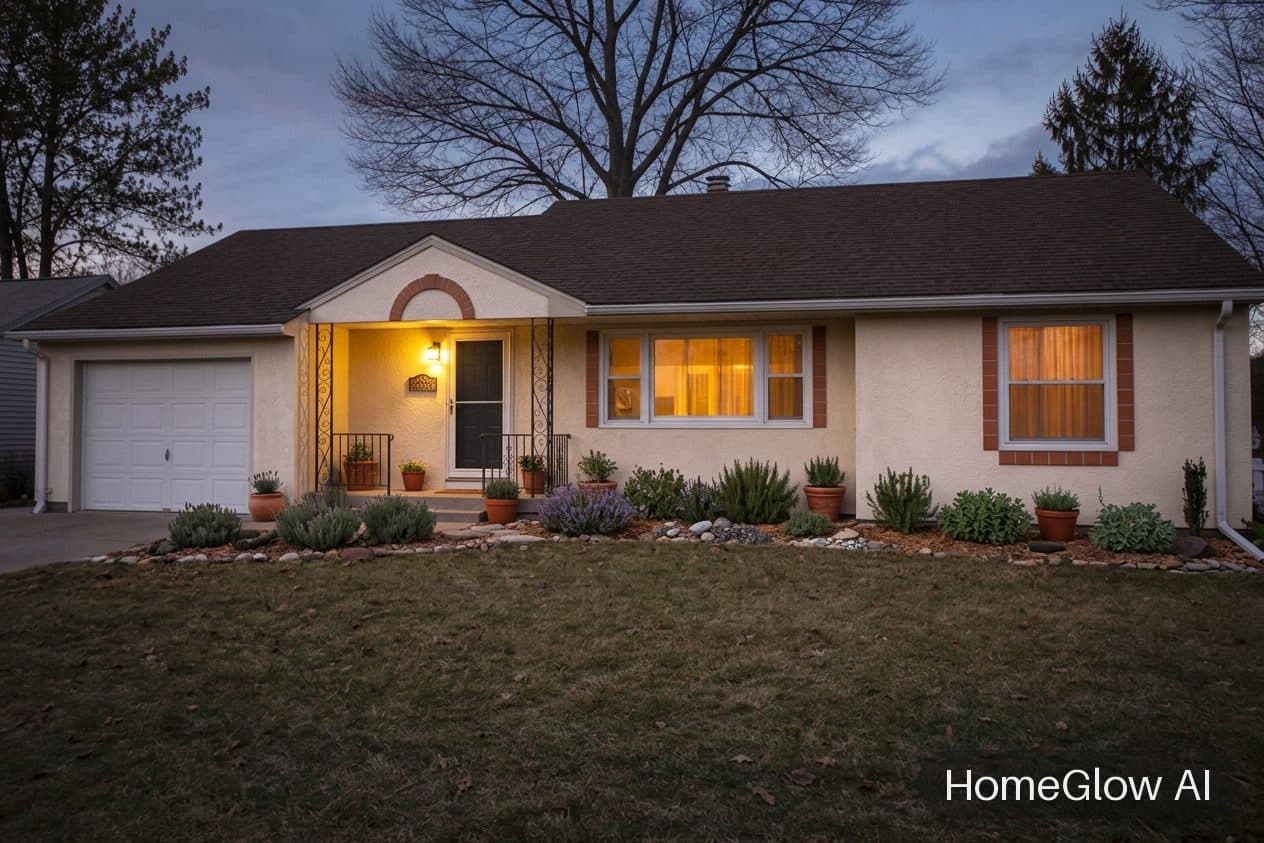
House exterior, Mediterranean. The same photo as a Modern version: one house, two directions. See this design
The facade styles in the tool.
There are fifteen to choose from, so you are not limited to one look. They include:
Modern, Scandinavian and industrial loft
Clean lines, render and cladding, black frames.
Mediterranean, Spanish revival and stucco minimal
Warm plaster finishes, arches and clay tones.
Colonial, Cape Cod and Tudor
Traditional proportions and trim details.
Craftsman, farmhouse, ranch and coastal cottage
Porches, board-and-batten and relaxed detail.
Brick classic and alpine
Brickwork and timber, steeper pitches.
Colour: think in three parts.
Most facades read as a body colour, a trim colour and an accent, usually the door.
Body
The siding or render. It carries the mood and sets what the others must work with.
Trim
Window frames and fascia. Contrast here sharpens the house; matching it softens it.
Door
The cheapest place to be bold. Describe a colour in the prompt step to see it.
An example facade.
A modern single-storey facade at dusk, the kind of result the Exterior design tool aims for.
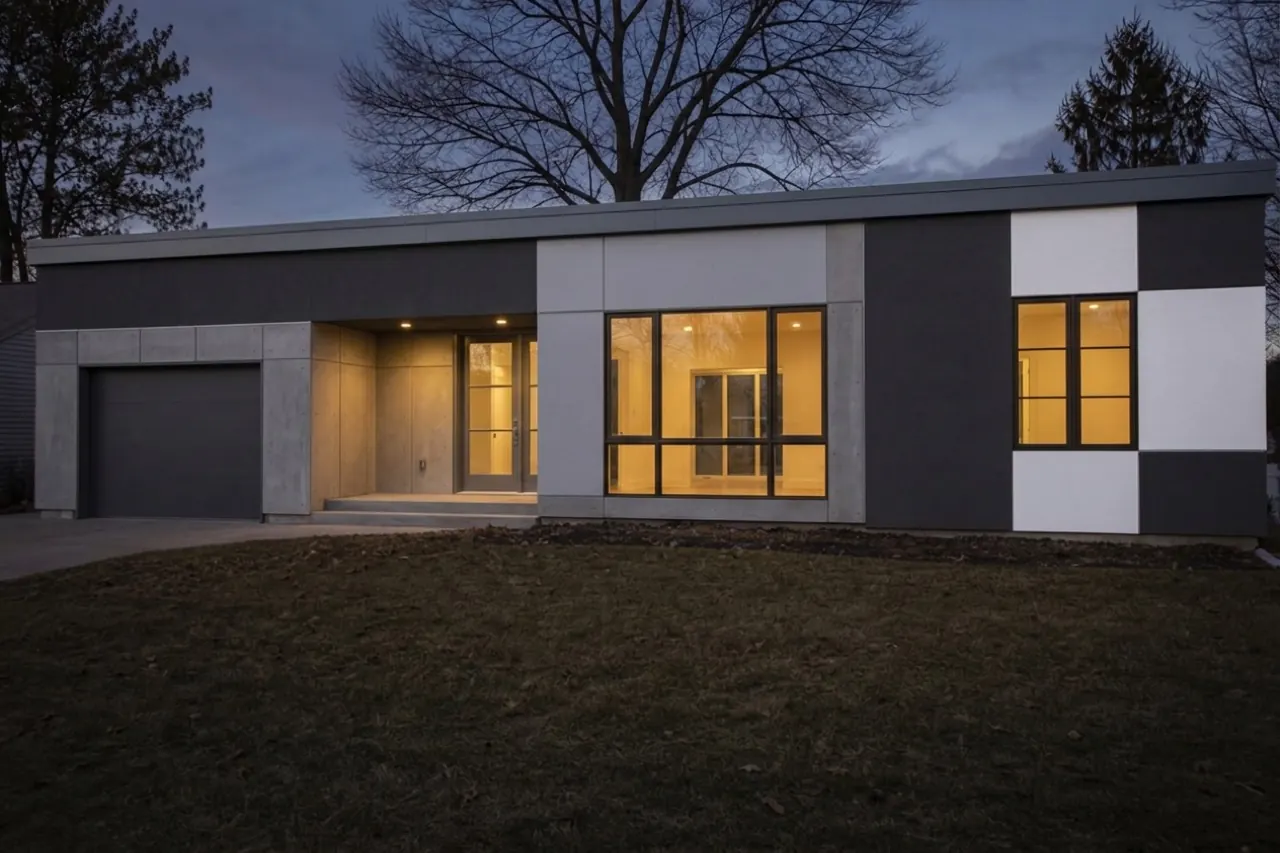
Illustrative image of an Exterior design-style facade redesign.
For a good photo of your house.
Straight on
Stand square to the front rather than at a steep angle.
Daylight or dusk
Even light shows the surface. Strong shadows hide detail.
Clear the foreground
Cars and bins in front of the house can end up in the result.
What it will not do.
- Results are AI-generated concept images. They are not structurally accurate, to scale or code-checked, and they do not replace an architect, structural engineer or contractor.
- Results do not check planning rules, building codes or HOA requirements. Confirm those separately.
- It shows an impression of finishes. It is not accurate enough to hand a contractor as a specification.
Browse real HomeGlow redesigns.
Questions.
Can AI show my house in a different colour?
Yes. Choose a facade style or describe the colour you want in the prompt step, and the tool previews it on your photo.
What exterior colours are popular?
Warm whites, soft greys, deep greens and charcoal are common choices. Preview two or three on your own house, since light and surroundings change how a colour looks.
Does it work from a phone photo?
Yes. A phone photo taken straight on in good light works well.
Can I change the roof?
You can describe a roof change in the prompt step. How closely the result follows it varies, so check the output.
Can I preview landscaping too?
Planting often changes along with a facade, as the examples show. For a yard-focused redesign, the Landscape design tool is built for it.
Is it accurate enough for contractors?
No. It is a visual concept to help you decide on a direction, not a specification or a plan.
More from this guide.
Plans and allowances are on the pricing page. Questions? Write to us.
See your own room first.
Free to try on a photo of your room. No card needed to start.
Redesign my house exterior