AI Living Room Design: See Your Room in Any Style
HomeGlow redesigns a photo of your living room in the style you pick, such as Japandi, boho, coastal or mid-century, keeping your walls, windows and camera angle. It runs in the browser and in Telegram, and it is free to try.
Last updated 26 October 2026
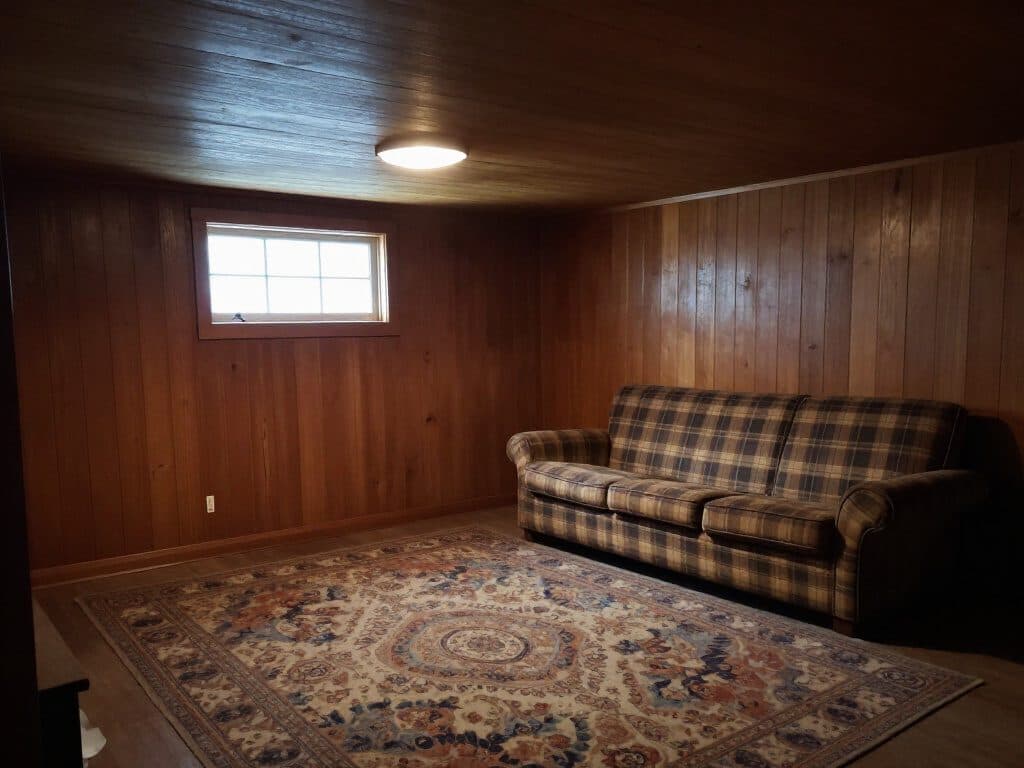
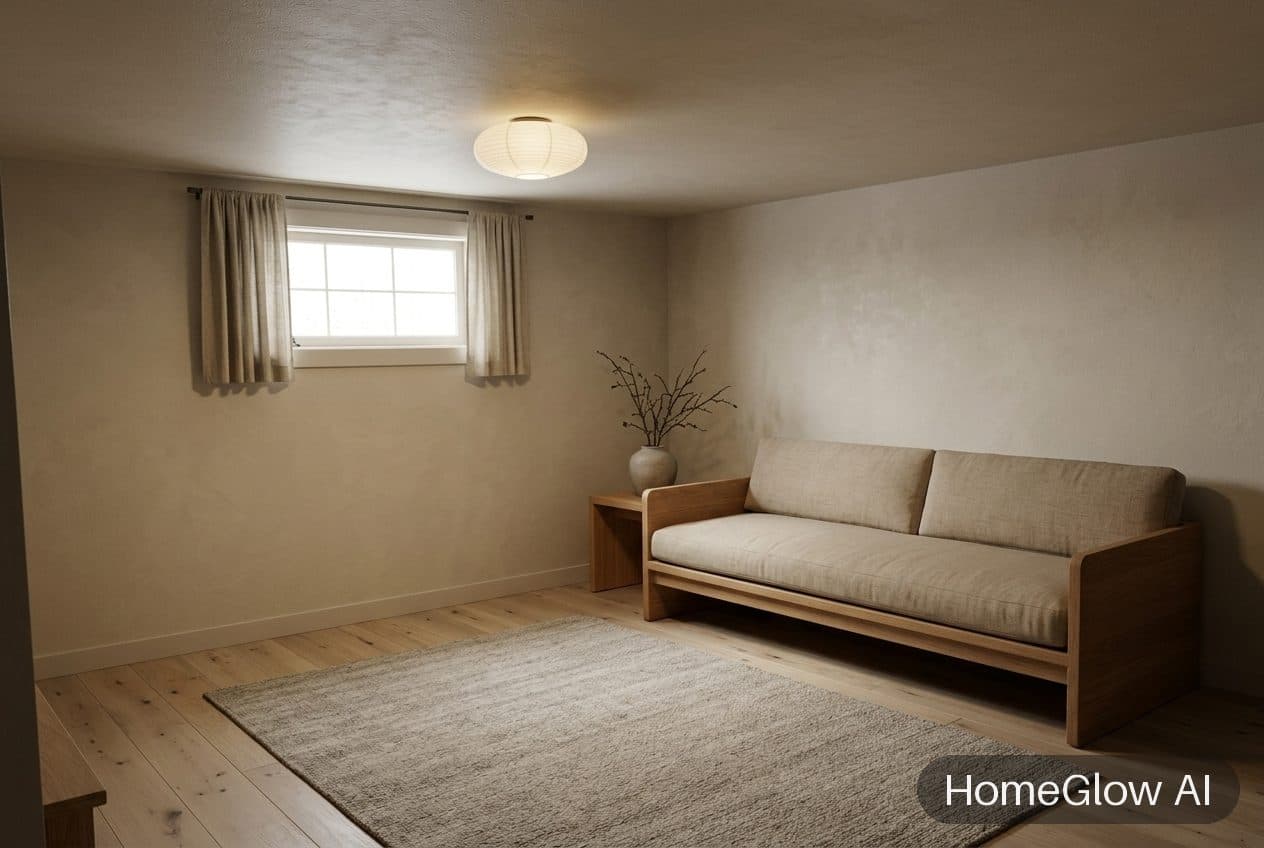
Living room, Japandi. The panelled room recalibrated to calm, natural materials. See this design
How it works.
Add a photo of the room
Take one in daylight from a corner so the walls and windows are in frame. Upload it from your phone or computer.
Pick the room type and a style
Say what kind of room it is, then choose a style such as Japandi, boho or industrial. You can add a line of your own in the prompt step.
Look, then refine in plain words
Your redesign usually arrives in under 2 minutes. Not quite right? PRO lets you type what to change, for example "make the sofa emerald velvet". Refining uses a credit, which the free tier does not include after its one generation.
Six living rooms, six directions.
These are real HomeGlow redesigns from the Discover gallery. Each links to the full design, and the style hubs below hold many more of the same kind.
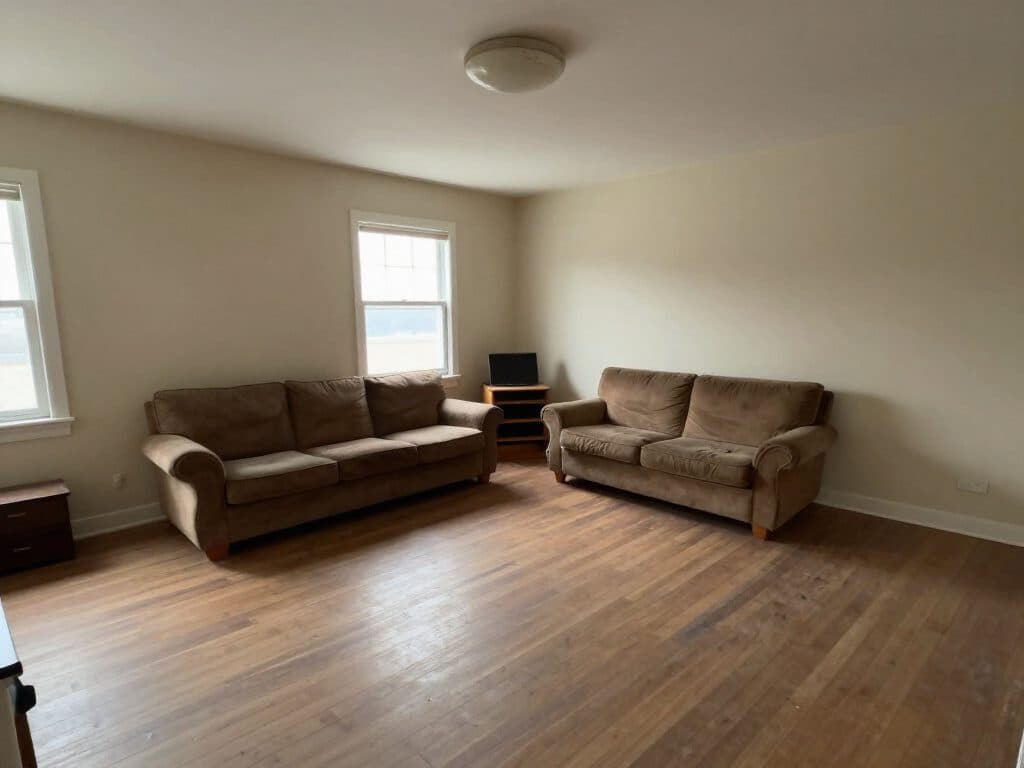
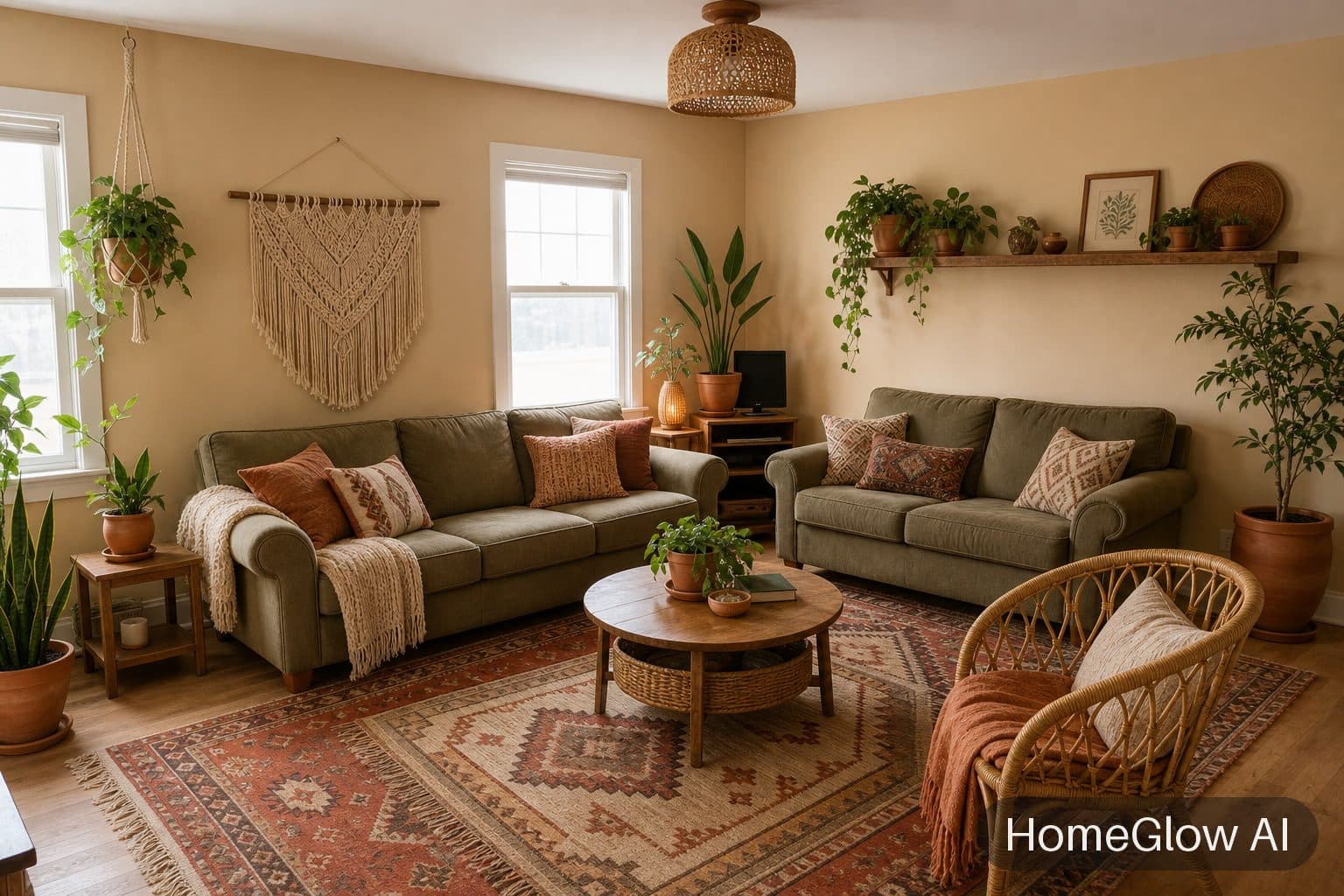
Living room, boho. The same room restyled in boho: warmer walls, layered textiles and plants. See this design
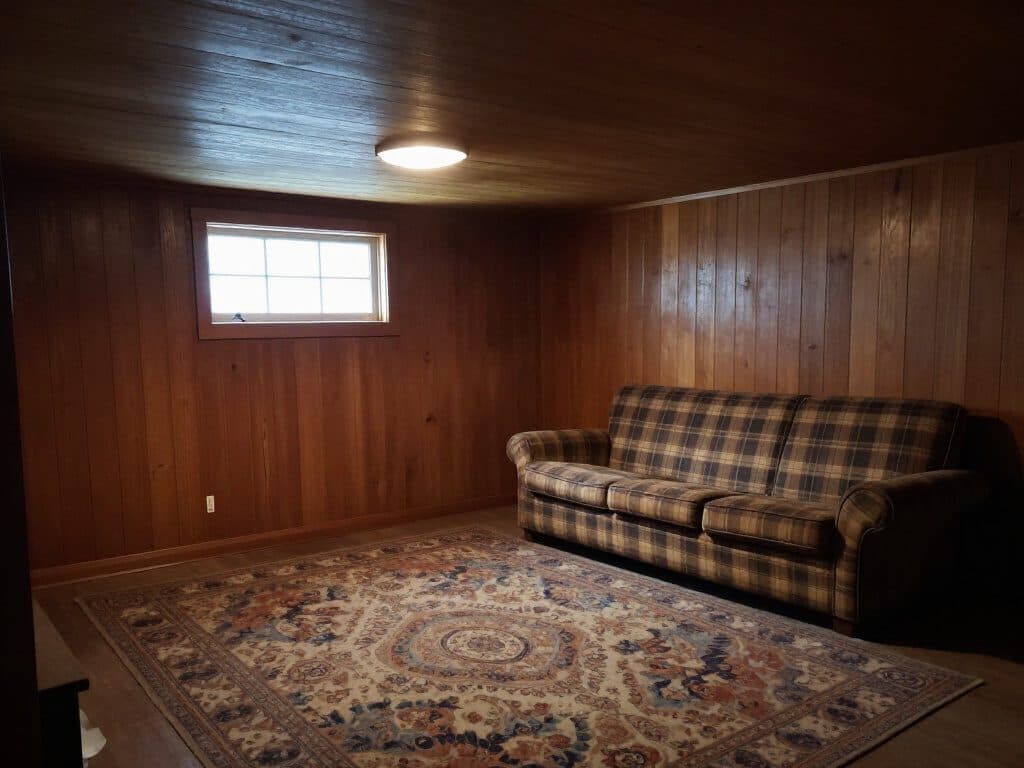
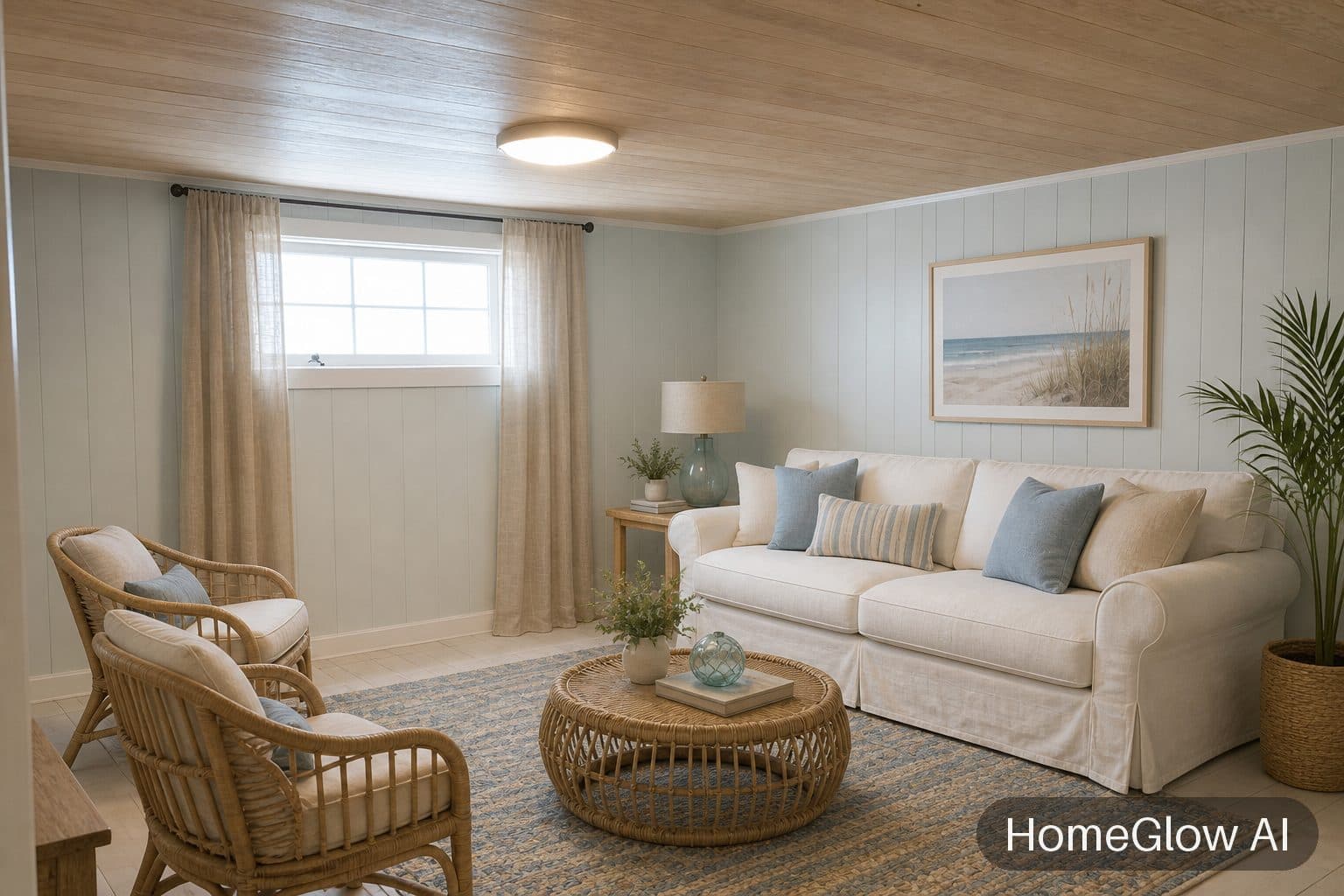
Living room, coastal. Dark panelling becomes a light, airy room without moving a window. See this design
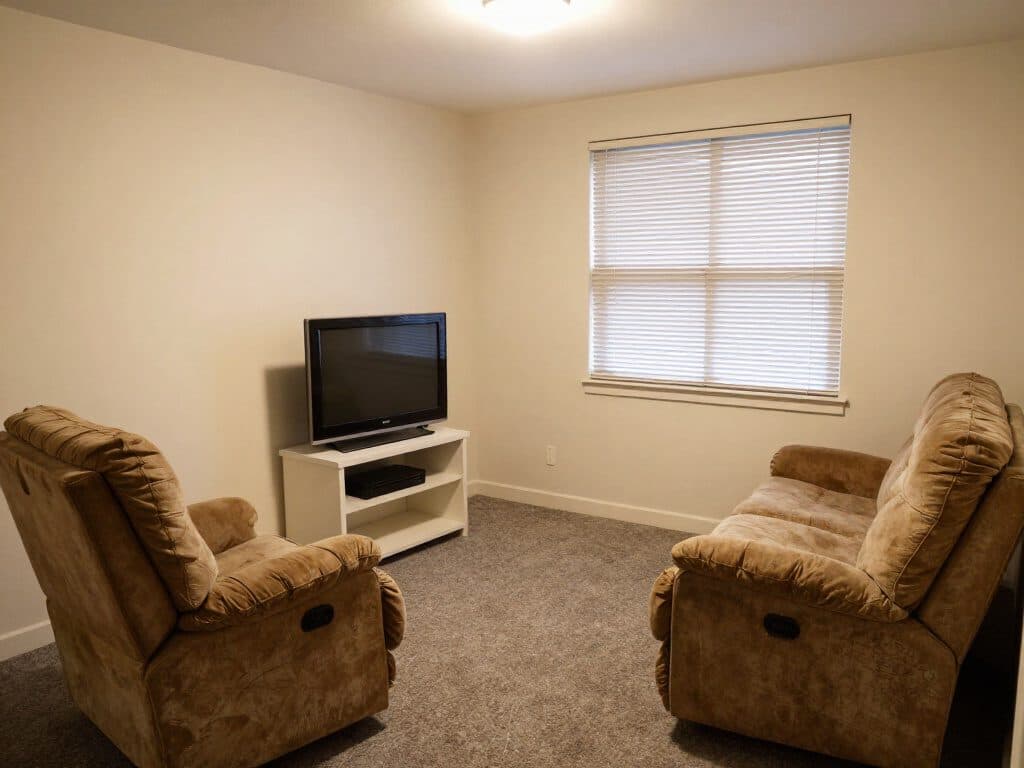
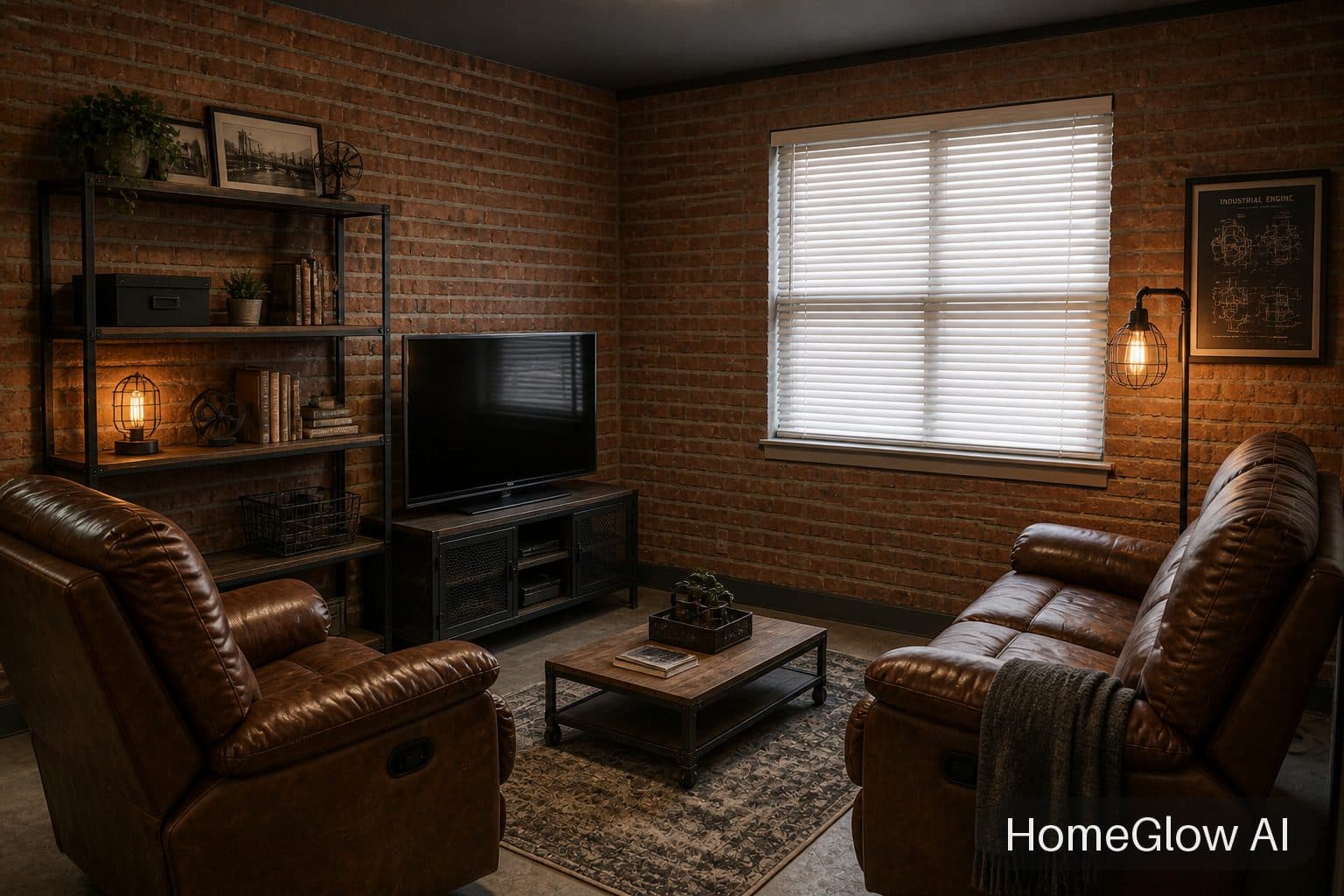
Living room, industrial. Same window and furniture positions, a completely different mood. See this design
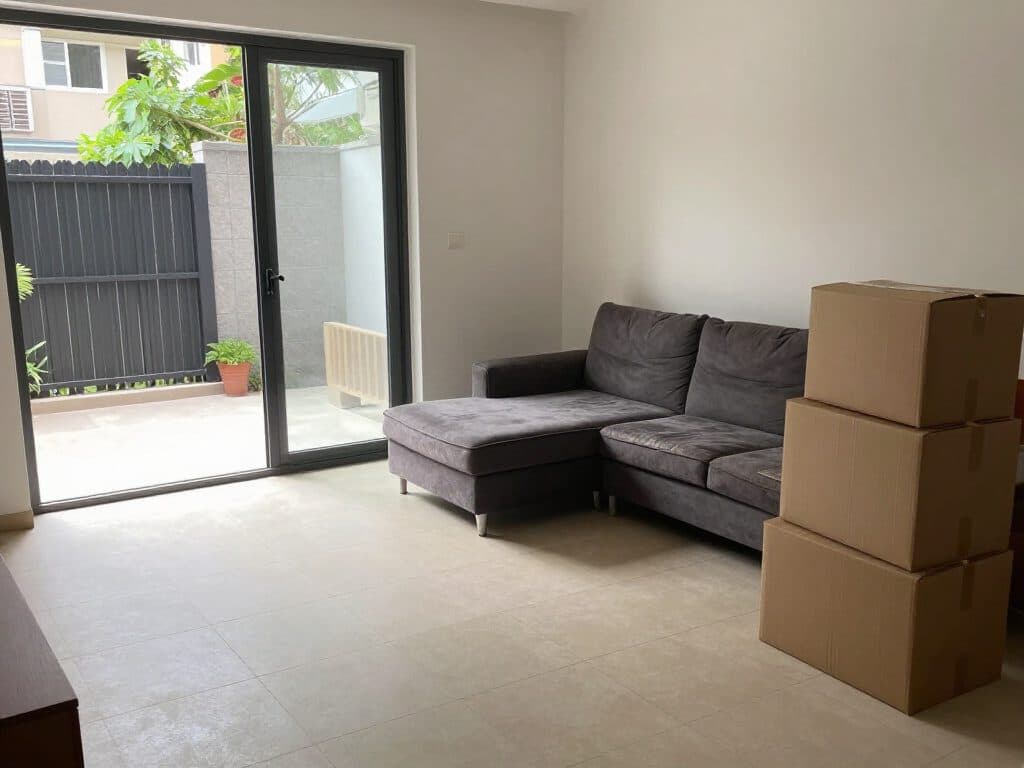
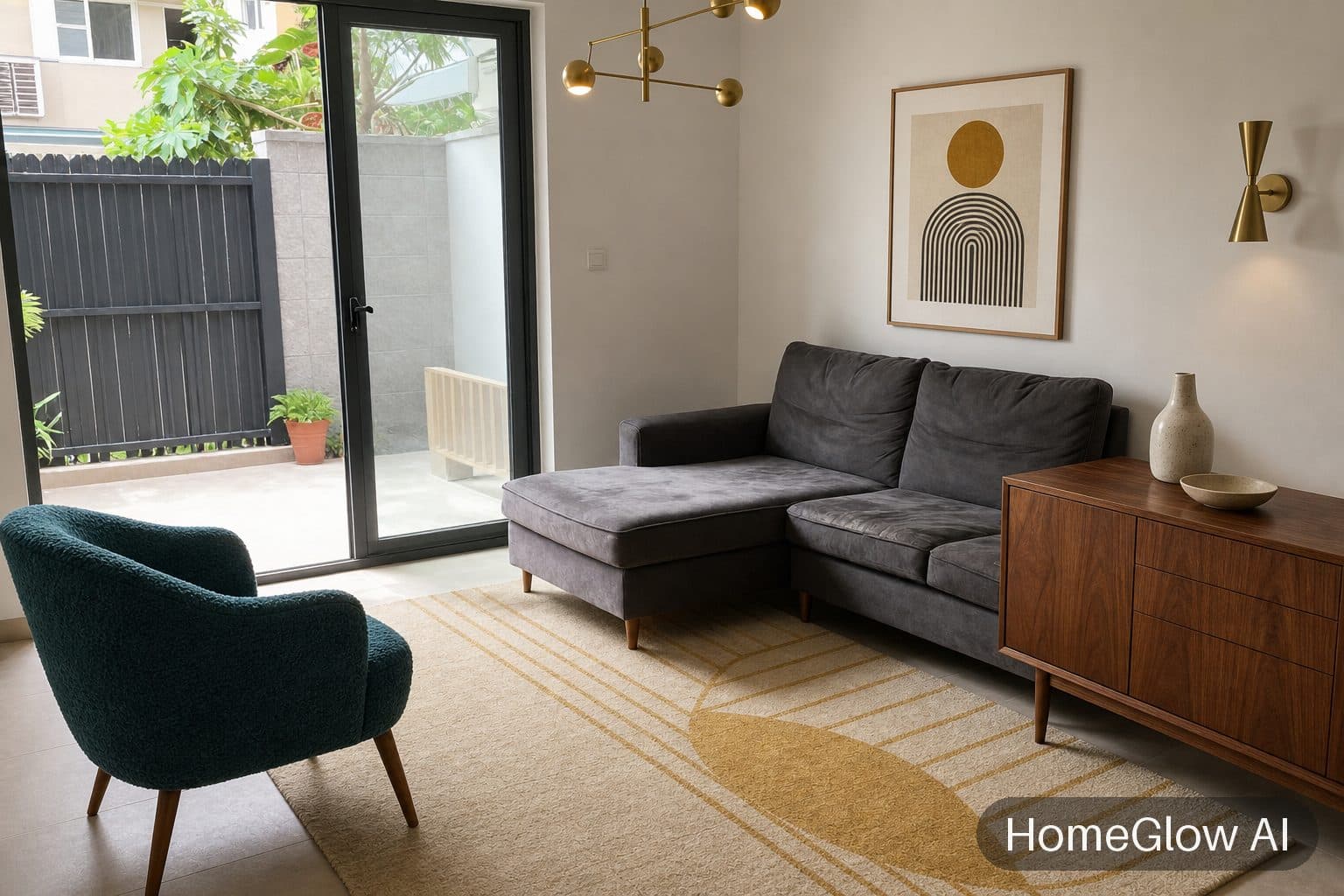
Living room, mid-century. Same sofa, same glass doors; the boxes are gone and the room is furnished. See this design
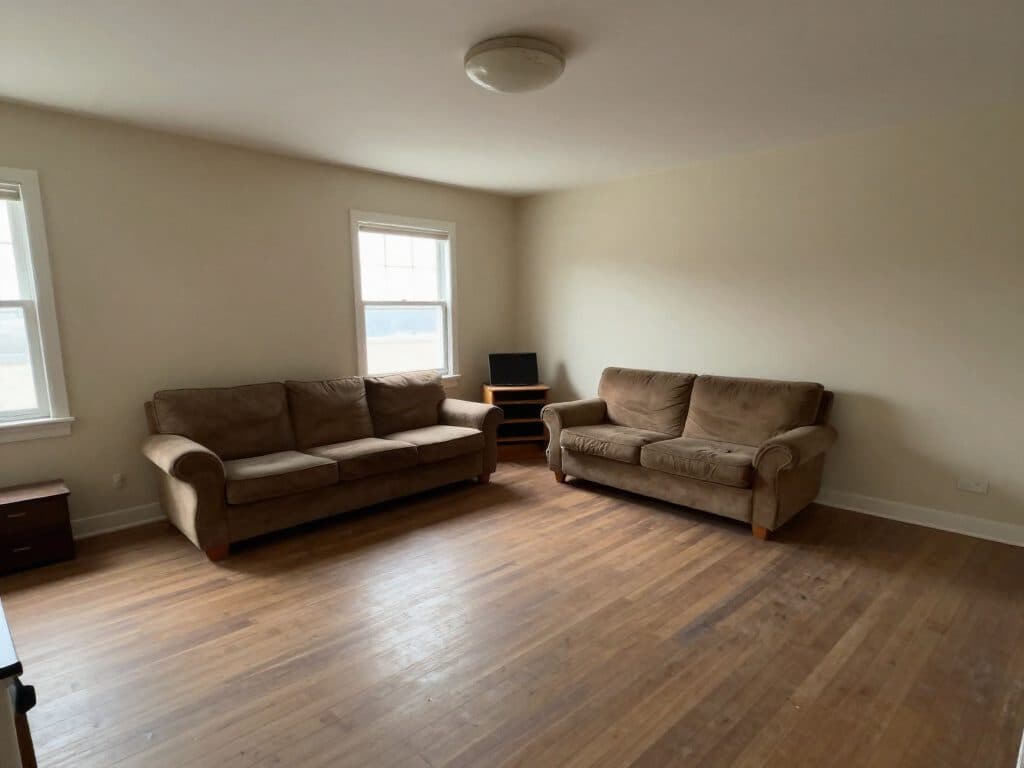
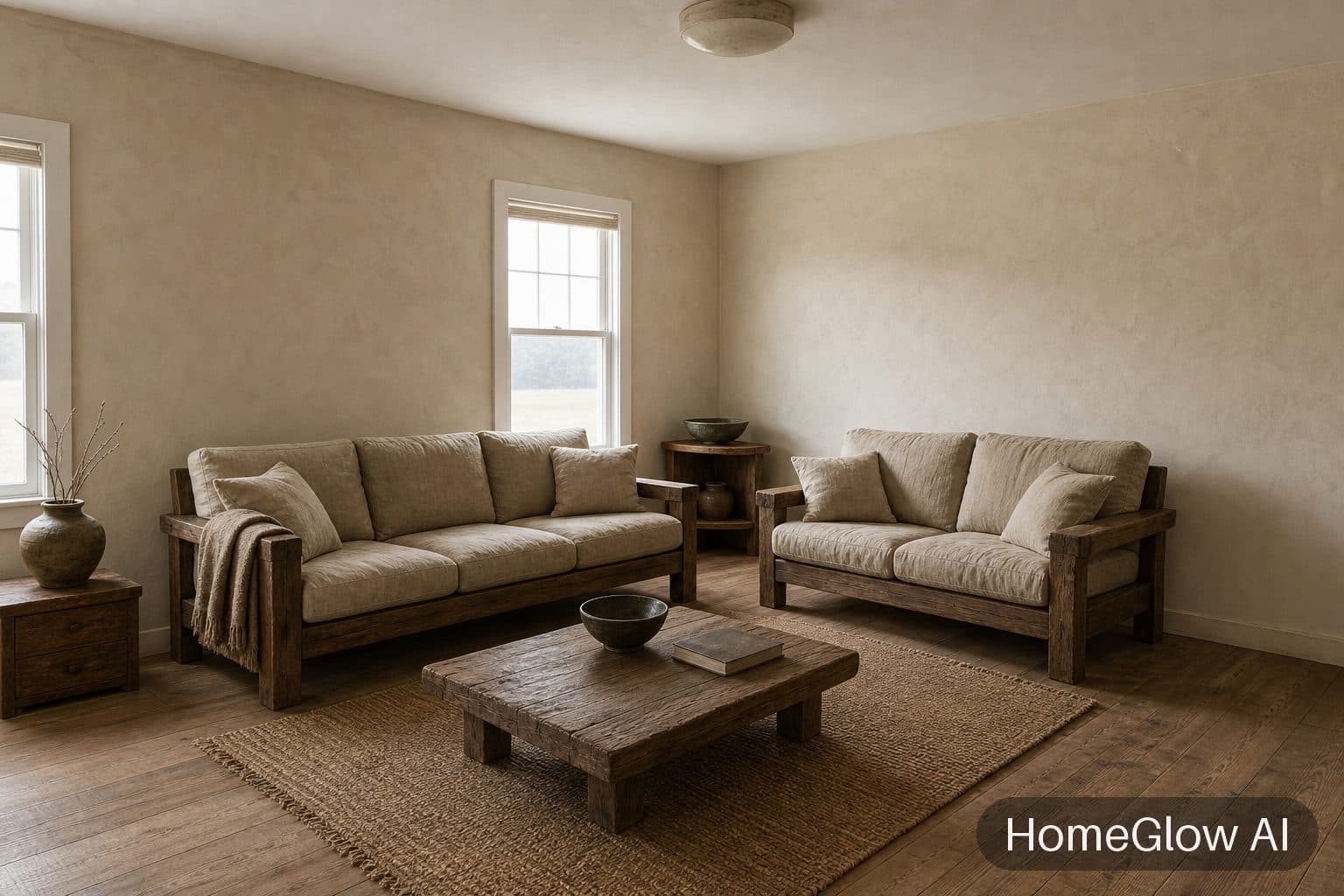
Living room, wabi-sabi. The same room in wabi-sabi: texture and imperfection instead of polish. See this design
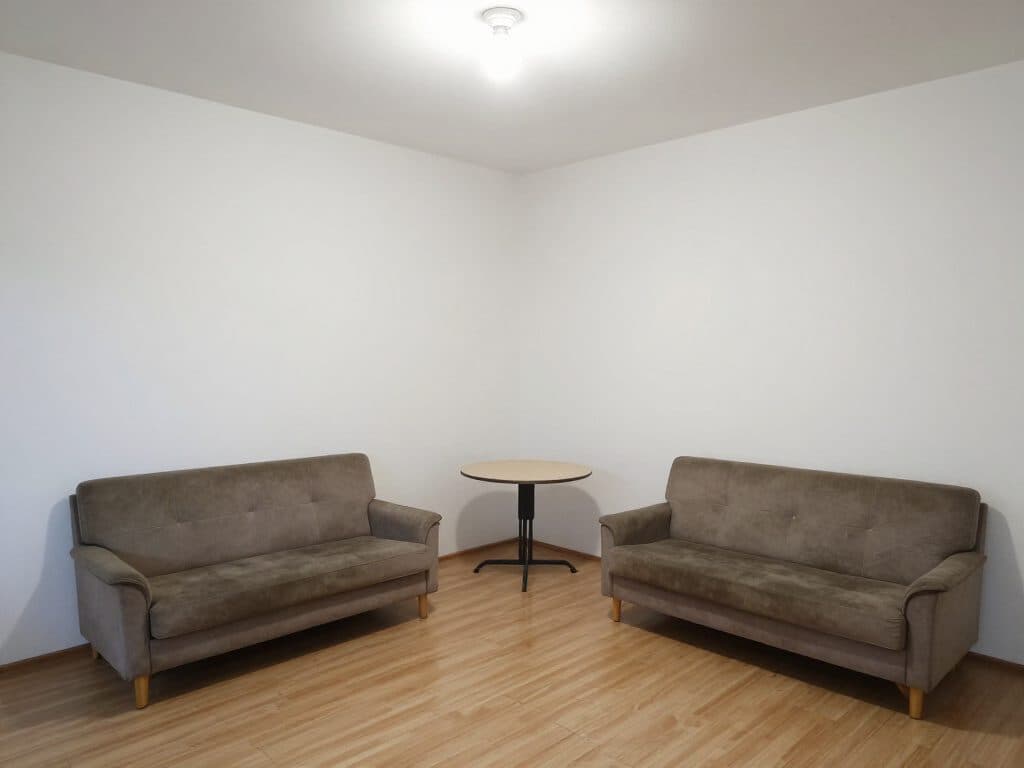
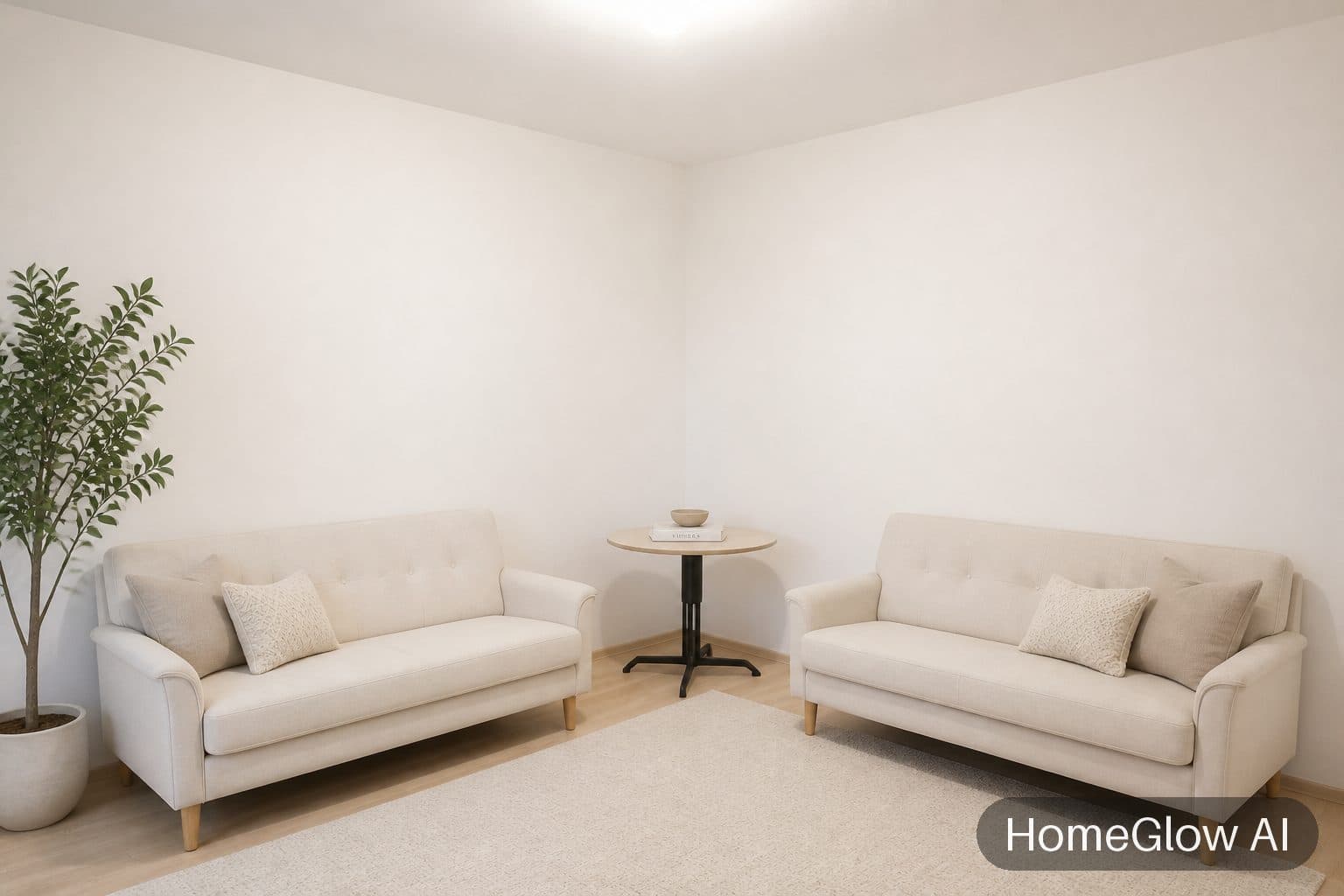
Small living room, Scandinavian. A small, bare-walled room made softer without changing its size. See this design
The three decisions that change a living room.
Where the sofa sits
Facing the focal point, usually a window, fireplace or television wall, or floating in the room to define a zone. Describe the arrangement you want in the prompt step, such as "sofa facing the window".
What the TV wall does
Dark and recessed, or framed by shelving and art. Try both on the same photo; the difference in mood is bigger than it sounds.
How the rug is scaled
A rug that is too small makes the whole room feel smaller. Ask for a larger one, big enough for the front legs of every seat to rest on.
Lighting and scale, quickly.
Layer the light
A ceiling light plus one or two lamps at different heights feels warmer than one bright source.
Curtains hung high
Mounting the rail close to the ceiling makes windows and walls look taller.
One big piece beats many small ones
A single large artwork usually reads calmer than a gallery wall of small frames.
Make it your own.
Typed in the prompt step before you generate, as examples rather than promises. Changing a result afterwards (refining) is a PRO feature:
Keep a favourite
"Keep the sofa and change the rug and wall colour."
Redo the TV wall
"Built-in shelves either side of the television."
Try a colour
"A deep green accent wall behind the sofa."
What it will not do.
- Results are AI-generated concept images. They are not structurally accurate, to scale or code-checked, and they do not replace an architect, structural engineer or contractor.
- HomeGlow shows a look, not a floor plan. It cannot confirm that a sofa fits through your door or a rug fits your floor.
- A very cluttered photo can confuse the result; if so, try the Declutter tool first.
Questions.
What style suits a small living room?
Light, low-contrast styles such as Scandinavian, minimal and Japandi tend to feel more open. Try them on your own photo and compare.
Can AI move my sofa?
You can describe a different arrangement in the prompt step and see whether the result follows it. It is a visual suggestion, not a measured layout.
How do I make a living room look bigger?
Lighter walls, a larger rug, fewer pieces and higher curtain rails all help. You can preview each of those on your own photo.
Can I keep my existing furniture?
Yes, ask for it in the prompt, for example "keep the sofa". Check the result, and refine if a piece changed.
Can I preview a different wall colour?
Yes. Ask for it in the prompt, or use the Wall colors tool, which repaints walls and leaves the furniture alone.
Can I redo just the TV wall?
Describe it, for example "built-in shelves around the television", and refine until it looks right.
More from this guide.
Plans and allowances are on the pricing page. Questions? Write to us.
See your own room first.
Free to try on a photo of your room. No card needed to start.
Redesign my living room