Relight Your Room: See Warm, Bright or Moody Lighting
HomeGlow's Adjust lighting tool relights a room photo to preview brighter, warmer or evening moods while keeping the room itself unchanged. Pick a lighting preset, review the result, and see how light alone changes how a room feels.
Last updated 26 October 2026
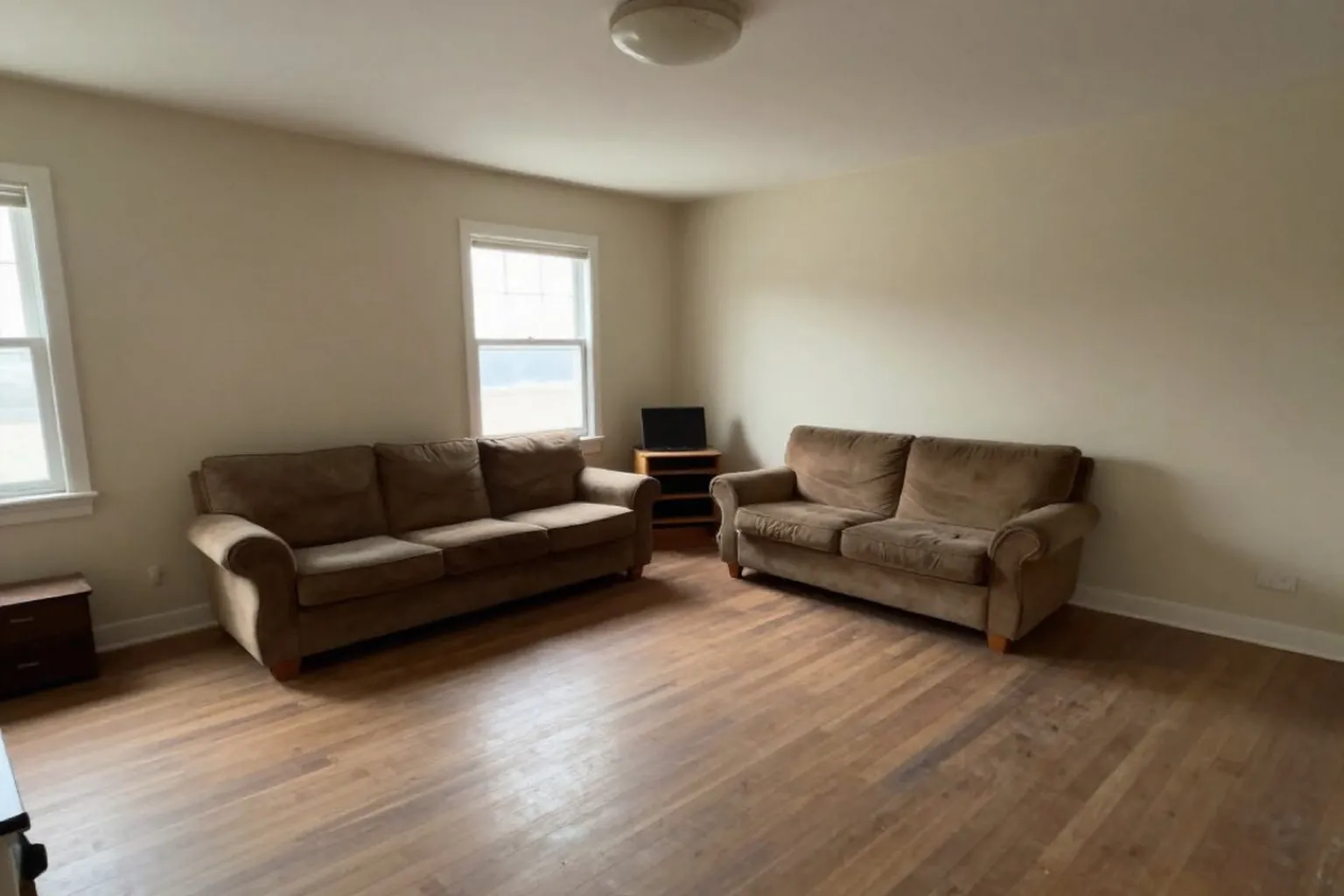
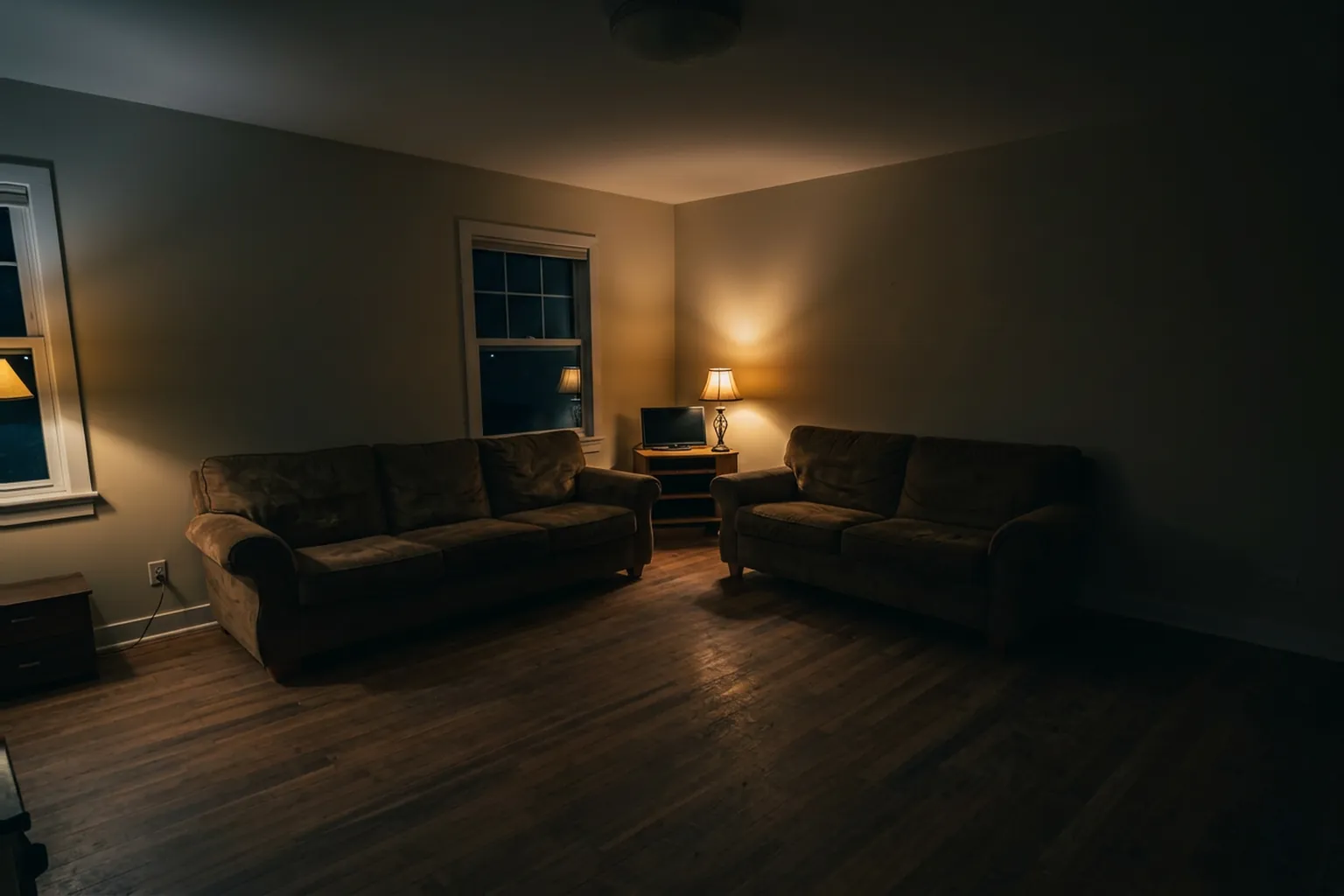
Daylight to lamplight. The same living room relit to a dim evening, with a single lamp glowing in the corner.
How it works.
Add a photo of the room
Upload one clear photo. Straight-on and in daylight gives the cleanest result.
Choose a lighting preset
Pick from the styles in the tool, and add a line of your own in the prompt step if you want something specific.
Review and refine
Results usually arrive in under 2 minutes. On PRO you can describe a change in plain language to adjust them.
Same room, two evening moods.
Both images are real HomeGlow relit versions of the living room in the header. The furniture, walls and windows are identical; only the light changes.
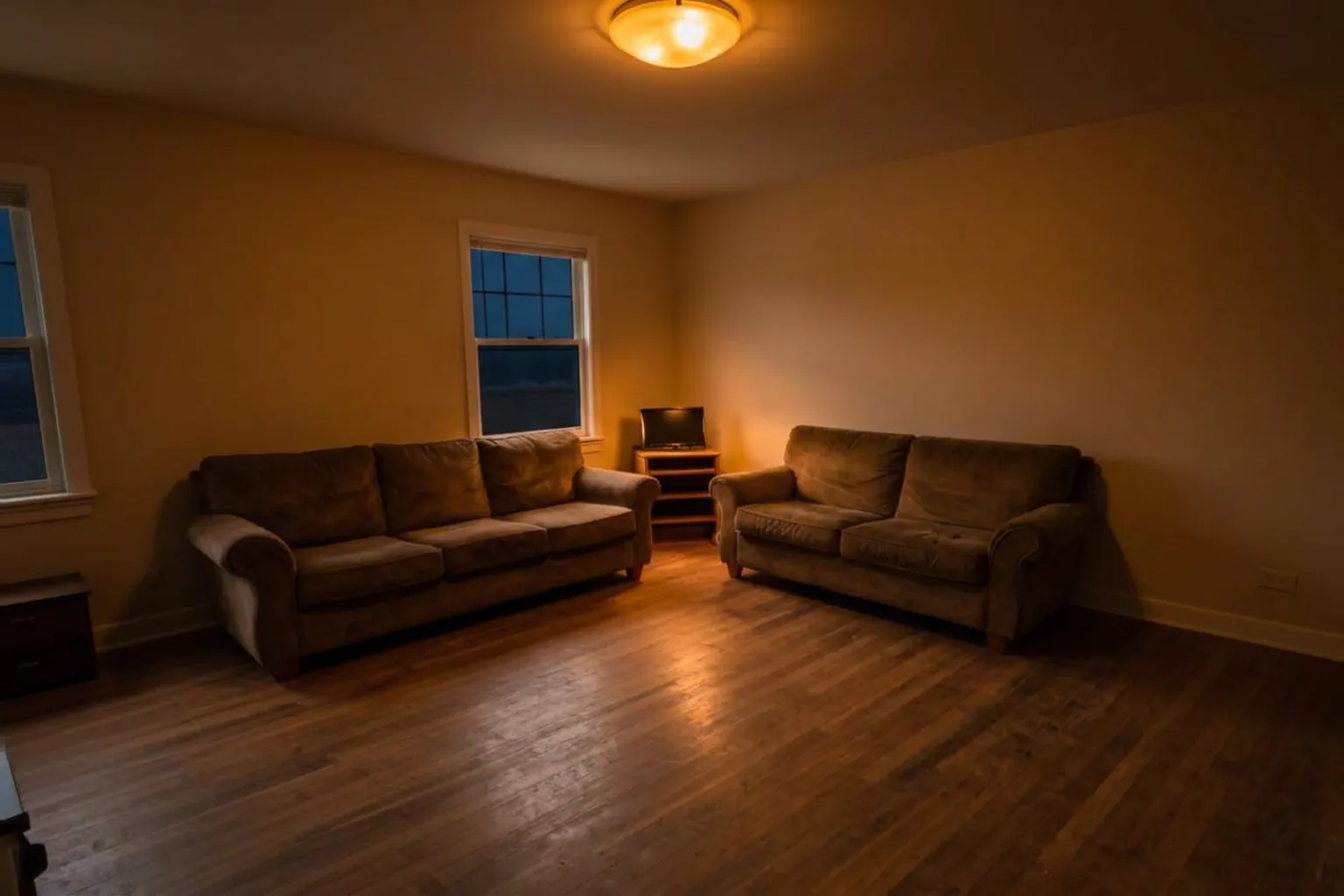
Same room, two lighting moods. Two real relit versions of one living room: dim lamplight, then a warm ceiling light.
Daylight to warm ceiling light. The same room again, with the ceiling light on and the walls warm amber.
The lighting presets.
The tool offers six presets:
Warm evening
Amber lamplight and a cosy, dim feel.
Bright daylight
Crisp, even natural light with little shadow.
Golden hour
Low, warm sun.
Candlelight
Small, flickering warm sources and deep shadow.
Cool modern
Clean, whiter light.
Night mode
A dark room with a few controlled sources.
A short guide to light in a room.
Colour temperature
Warm light (around 2700K) suits living rooms and bedrooms in the evening. Cooler light (4000K and up) suits kitchens, desks and bathrooms where you need to see clearly.
Layers
Ambient light fills the room, task light lights a job, accent light picks out something. A room with only a ceiling light tends to feel flat.
Height
Lamps at different heights make a room feel deeper than one source overhead.
Does lighting change the colour of my furniture?.
Light changes how colours look in a room, as it does in real life: a cream sofa under amber light reads warmer. The tool keeps the objects themselves, and what you see is how they appear under the new light.
What it will not do.
- Results are AI-generated concept images. They are not structurally accurate, to scale or code-checked, and they do not replace an architect, structural engineer or contractor.
- It previews the mood of a lighting setup. It does not tell you which bulbs or fixtures to buy or how many you need.
- Screens differ, so the colours you see are approximate.
Browse real HomeGlow redesigns.
Questions.
How can I make a dark room brighter?
More light sources at different heights, lighter walls and mirrored surfaces all help. Preview a daylight preset on your photo to see the difference.
What colour temperature for a living room?
Warm, around 2700K, is common for relaxing in the evening. Use cooler light where you do tasks.
Can AI relight a photo?
Yes. The Adjust lighting tool relights a room photo using presets such as Warm evening, Golden hour and Night mode.
Warm or cool bulbs for a bedroom?
Warm is the usual choice for winding down. You can preview a warm preset on your bedroom photo.
Does lighting change furniture colour?
It changes how it looks under that light, not the furniture itself.
Does it change anything else in the room?
It is designed to keep the room as it is and change only the lighting. Check the result against your original.
More from this guide.
Plans and allowances are on the pricing page. Questions? Write to us.
See your own room first.
Free to try on a photo of your room. No card needed to start.
Relight my room